1
Inscription & Connexion
Solo · 5 min
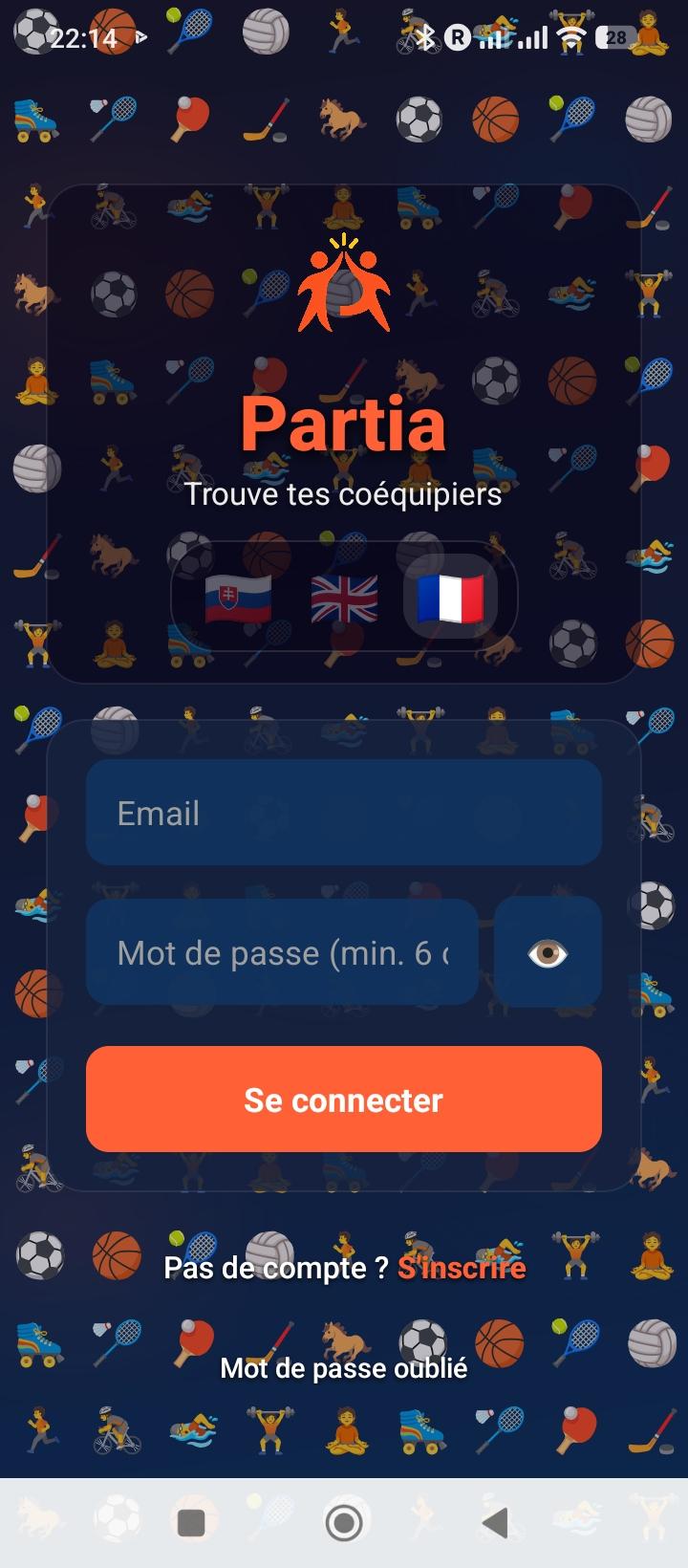
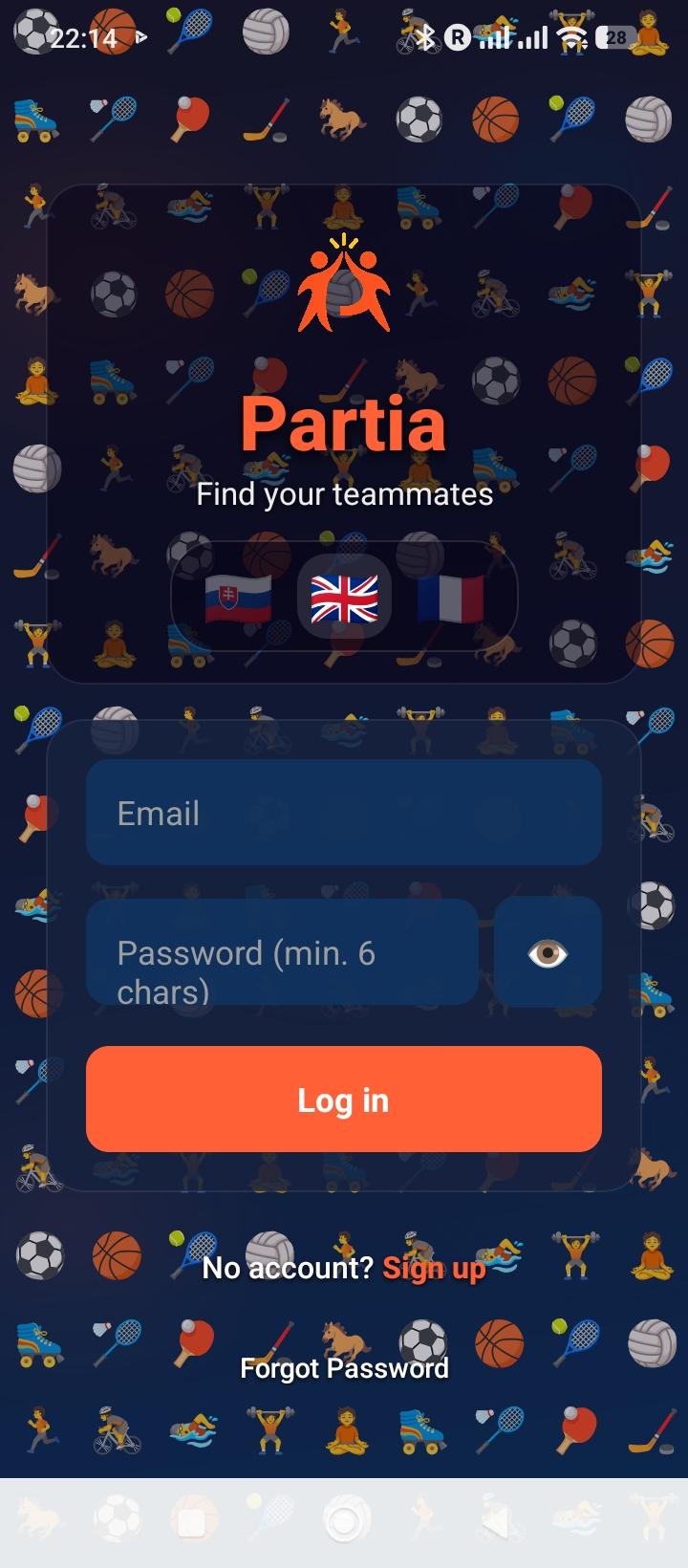
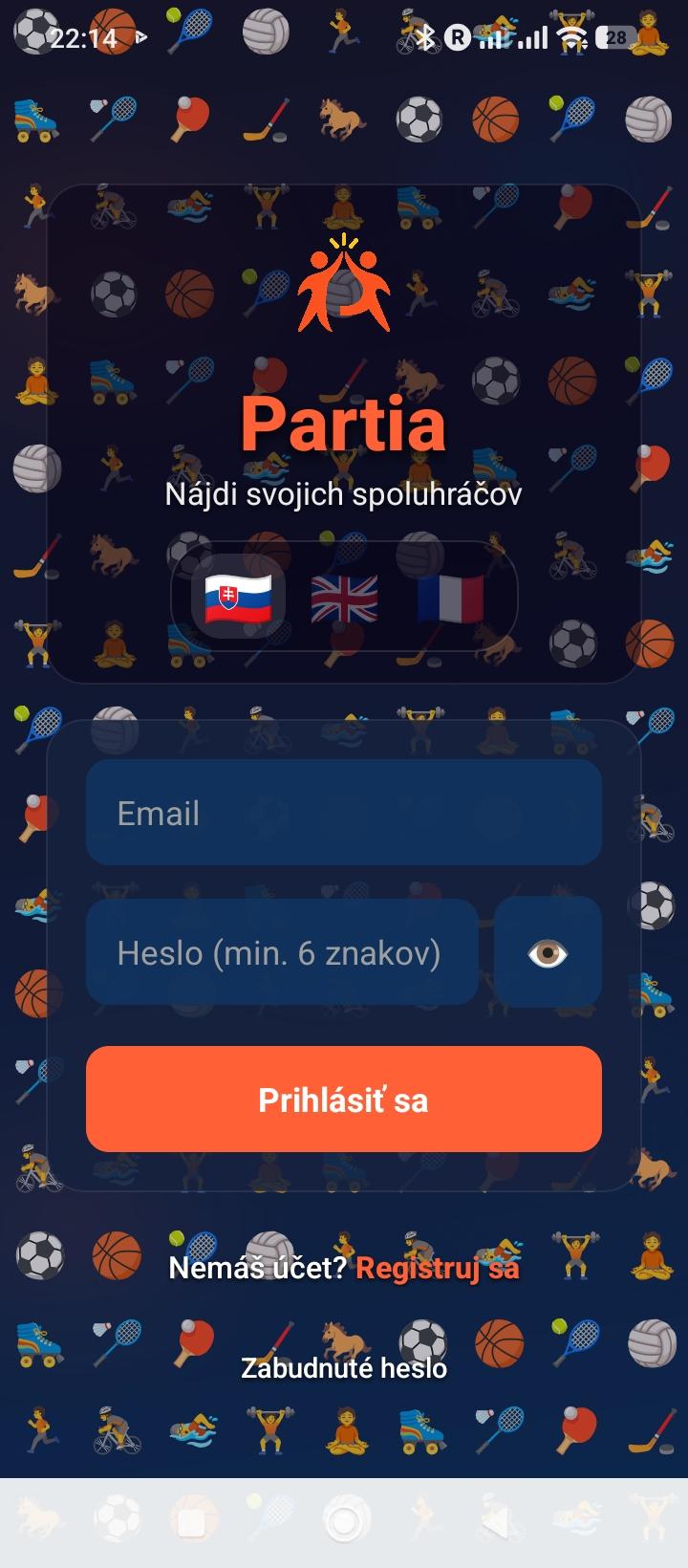
Écran de connexion Partia

Crée ton compte en 2 minutes. Renseigne ton prénom, email, mot de passe, sexe et date de naissance (18 ans minimum). Un email de vérification est envoyé automatiquement.

  • →Inscription : prénom, email, mdp, sexe, date de naissance
  • →Vérification email : clique sur le lien reçu par mail pour activer ton compte
  • →Connexion : email + mot de passe
  • →Mot de passe oublié : code à 6 chiffres envoyé par email, valable 15 min
💡 Conseil : Vérifie ton dossier spam si tu ne reçois pas l'email de confirmation — les expéditeurs sans domaine vérifié peuvent y atterrir.
2
Configuration du Profil
Après inscription
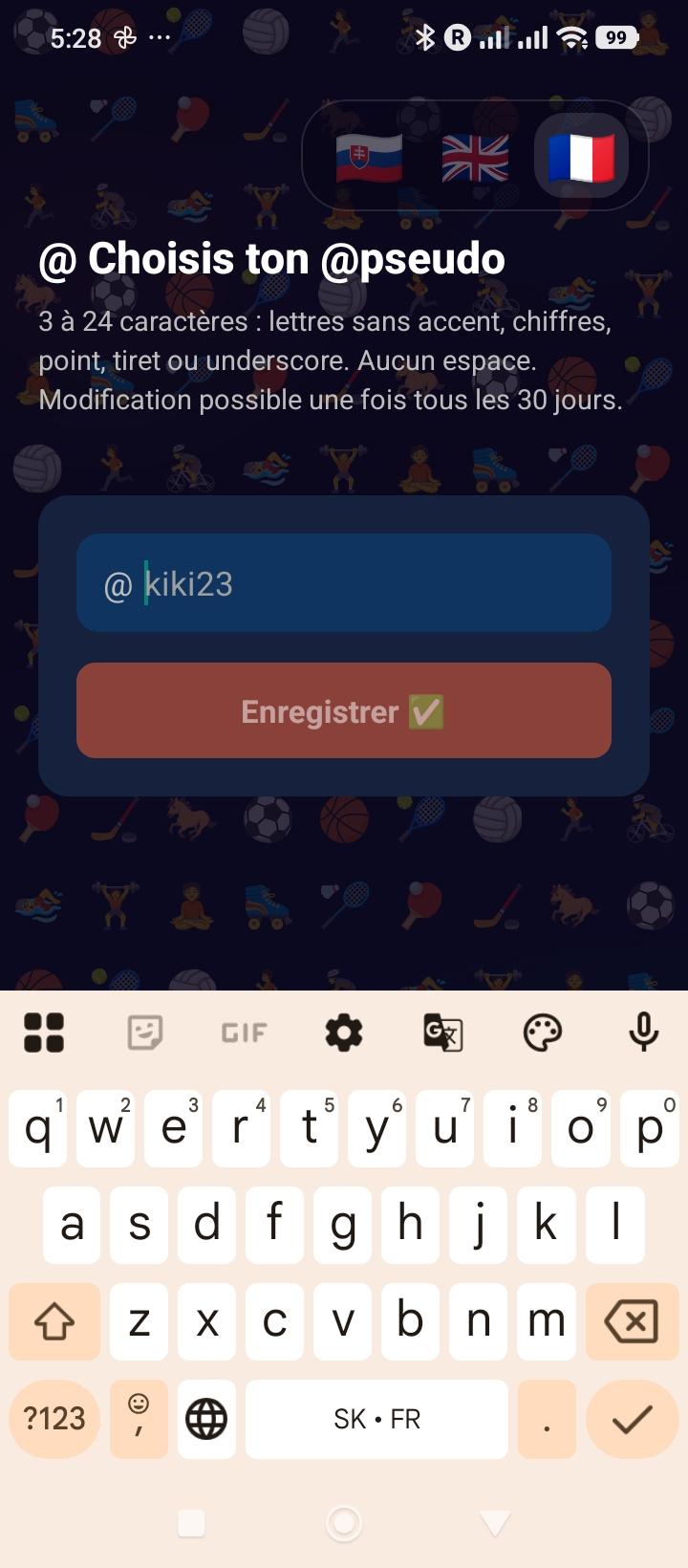
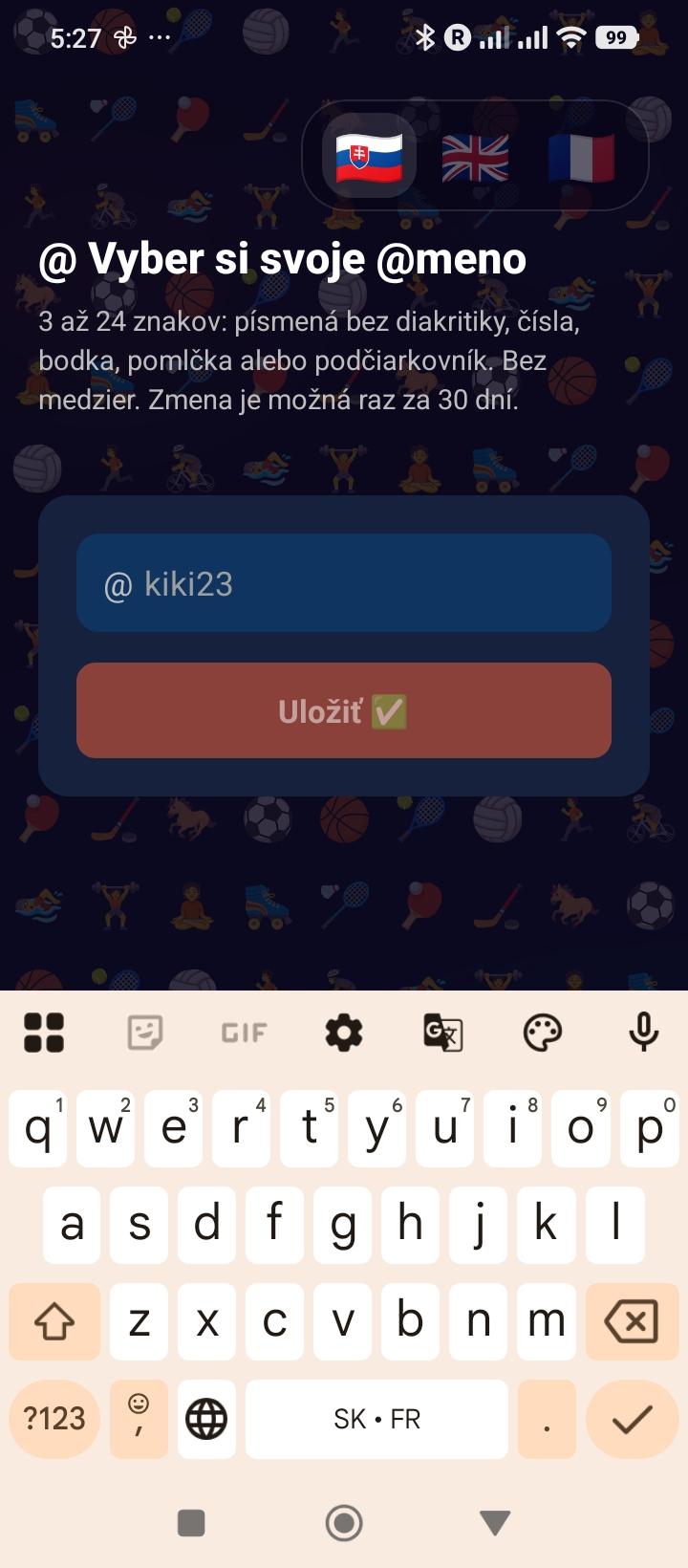
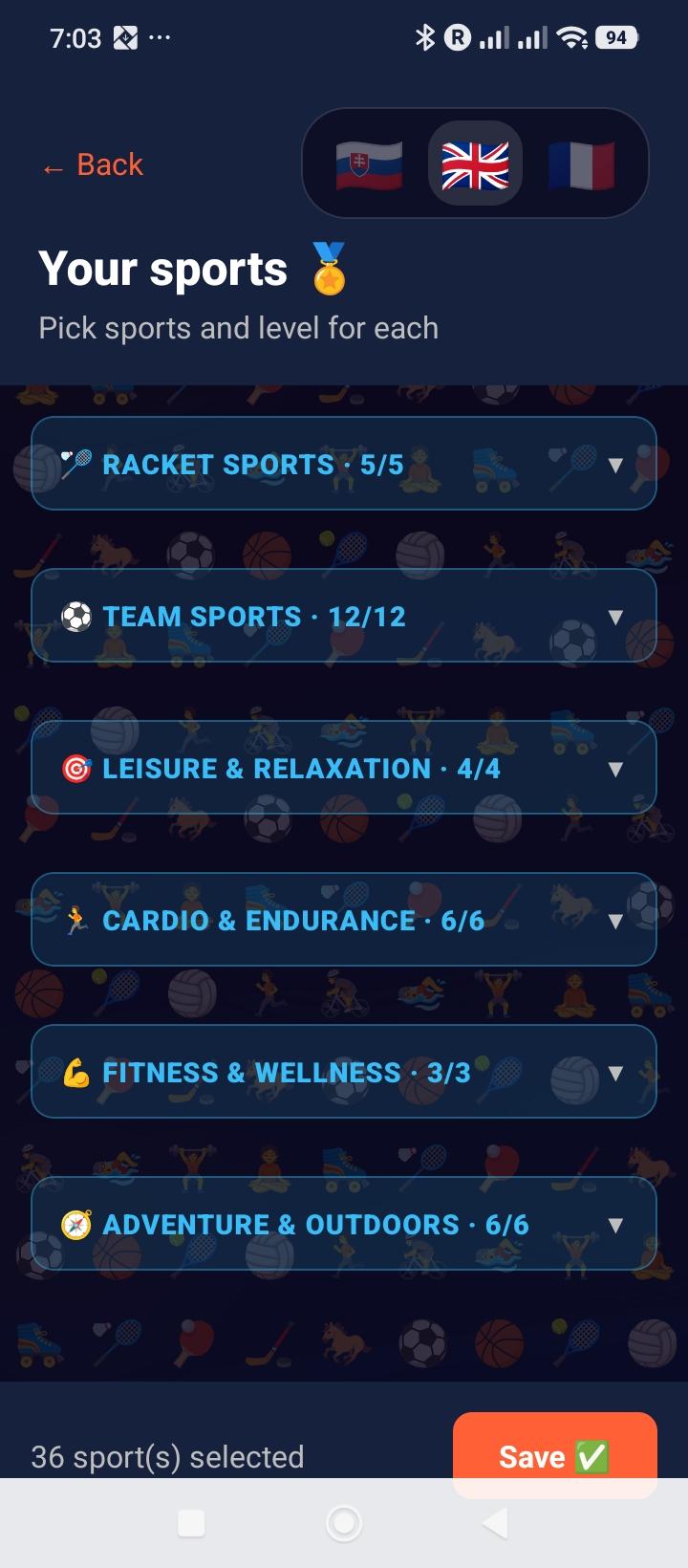
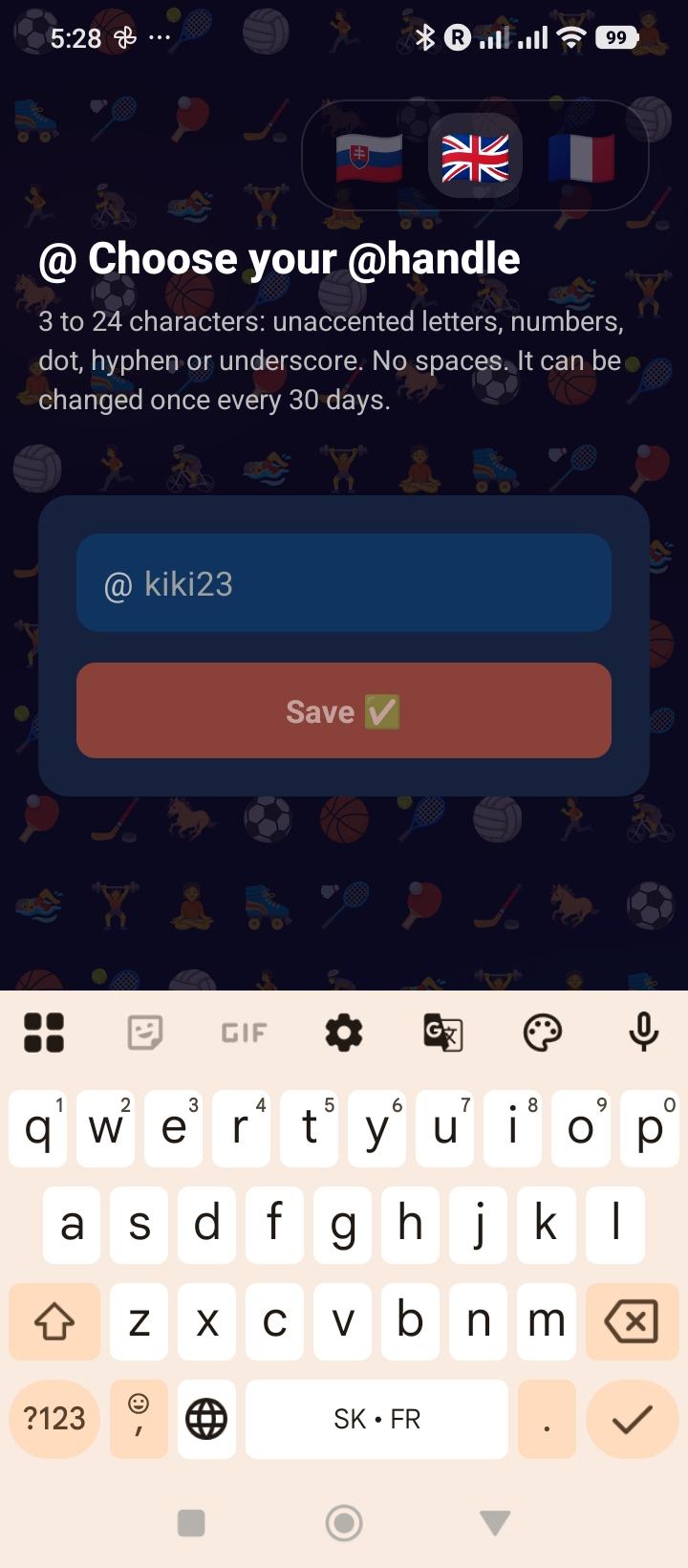
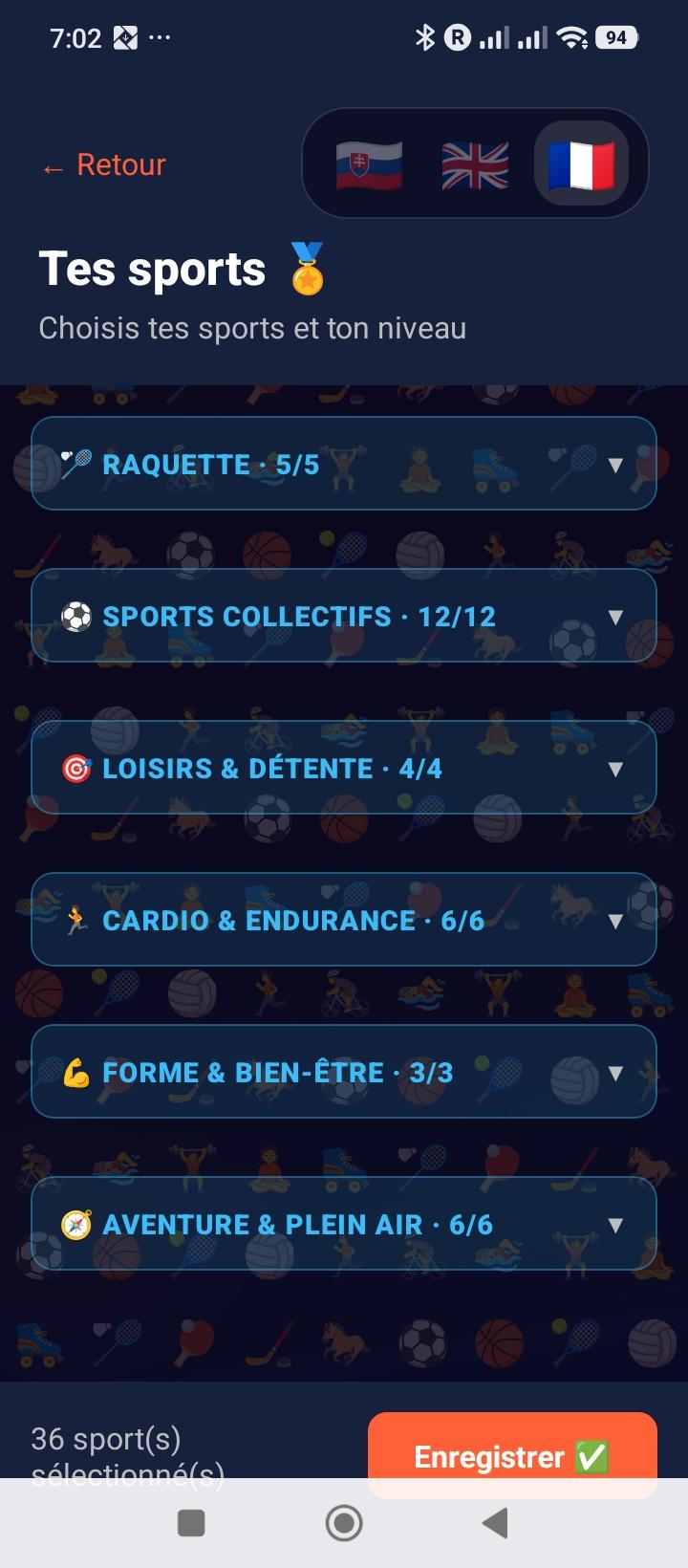
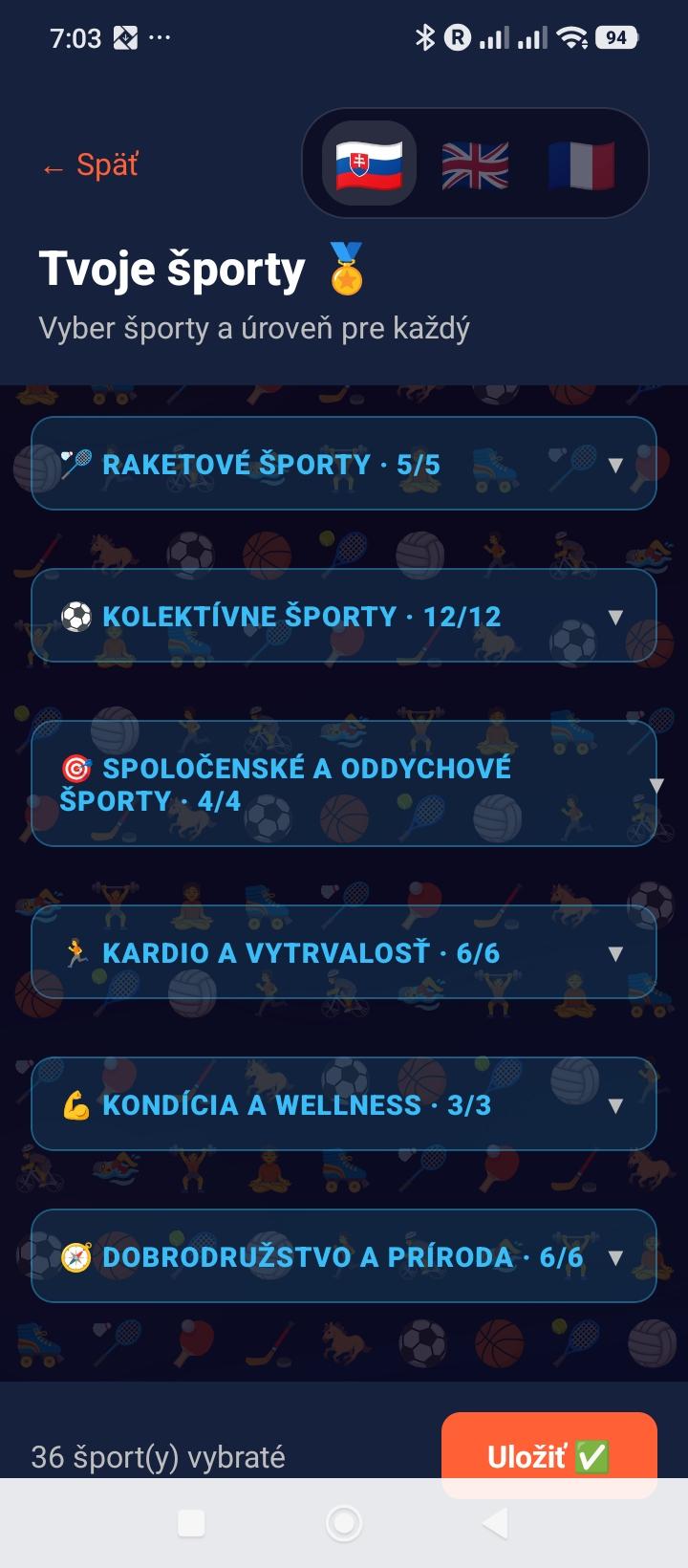
Choix des sports et niveauxChoix du pseudo public

Dès la connexion, complète ton profil en sélectionnant les sports que tu pratiques. C'est ce qui permet aux autres joueurs de te trouver et de voir si vous êtes compatibles.

  • →Grille de sports : 37 sports affichés avec emoji — tape pour sélectionner / désélectionner
  • →Multi-sélection : tu peux pratiquer autant de sports que tu veux
  • →Pseudo public : choisis un @pseudo unique qui te représente auprès des autres joueurs — seule autre étape obligatoire avant d'accéder au reste de l'app
  • →Le reste vient après : ville et photo sont facultatives et se configurent quand tu veux depuis l'onglet Profil (Étape 8), pas à l'inscription
  • →Modifiable ensuite : tes sports se changent à tout moment dans l'onglet Profil ; ton @pseudo (et ta ville, une fois renseignée) sont limités à 1 changement tous les 30 jours (24h pour corriger une erreur de saisie juste après)
💡 Conseil : sélectionne tous les sports que tu pratiques, même occasionnellement — ça augmente tes chances d'apparaître dans les recherches.
3
Explorer — Le Feed
Écran principal
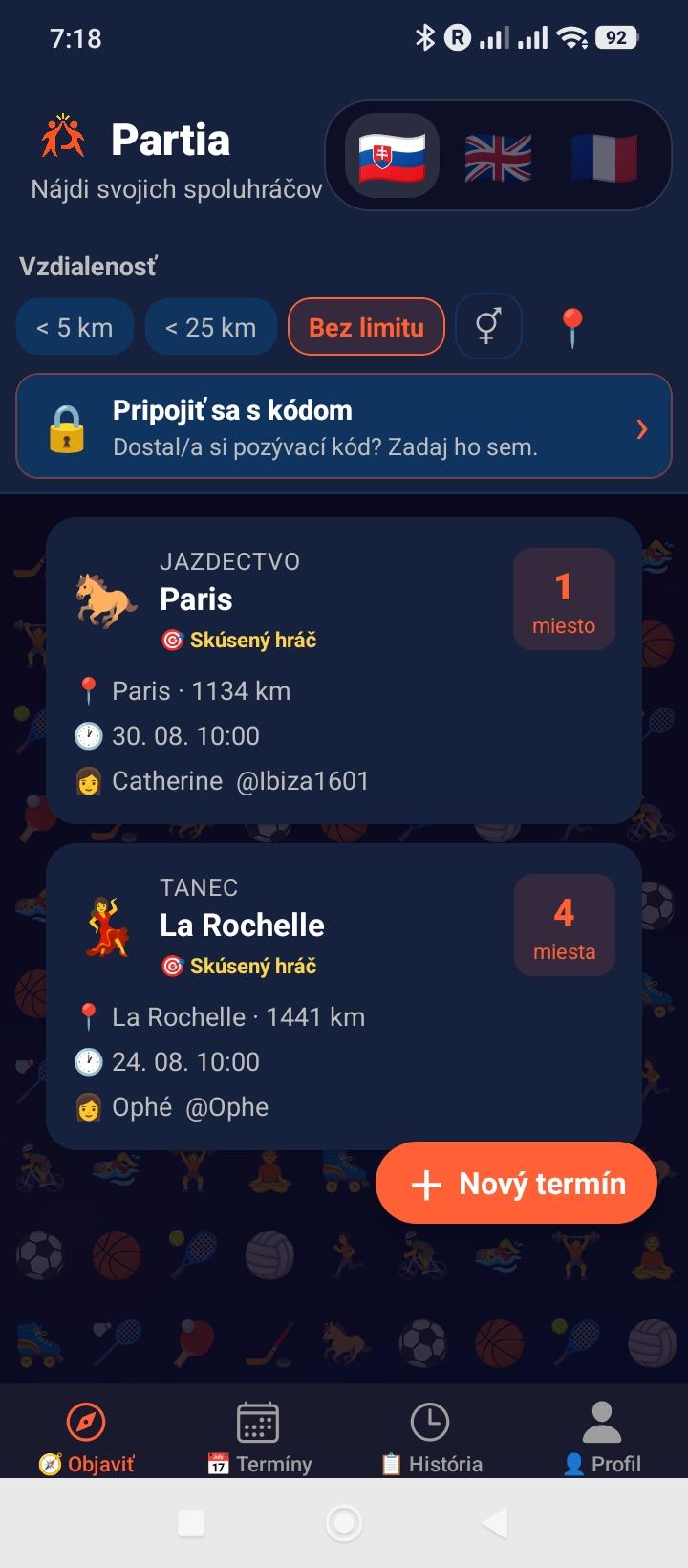
Fil Explorer

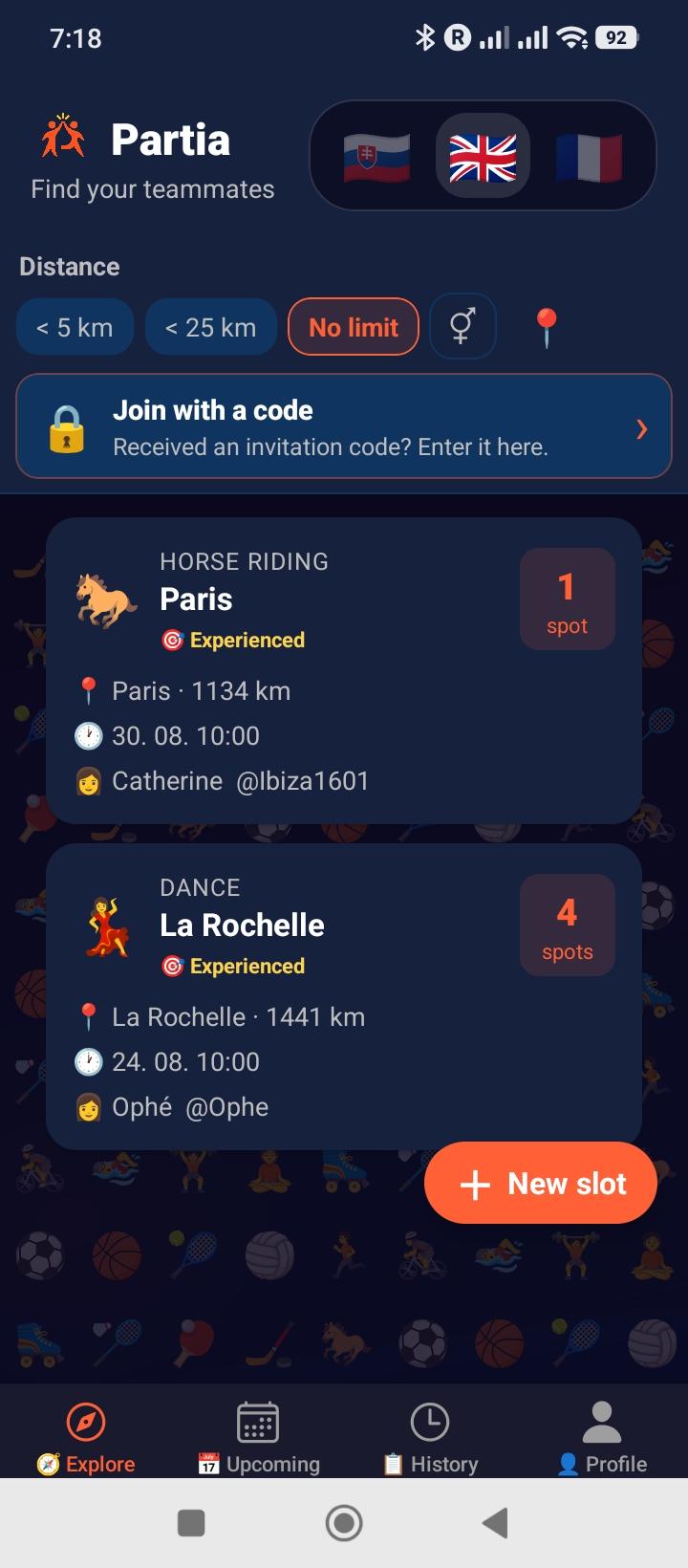
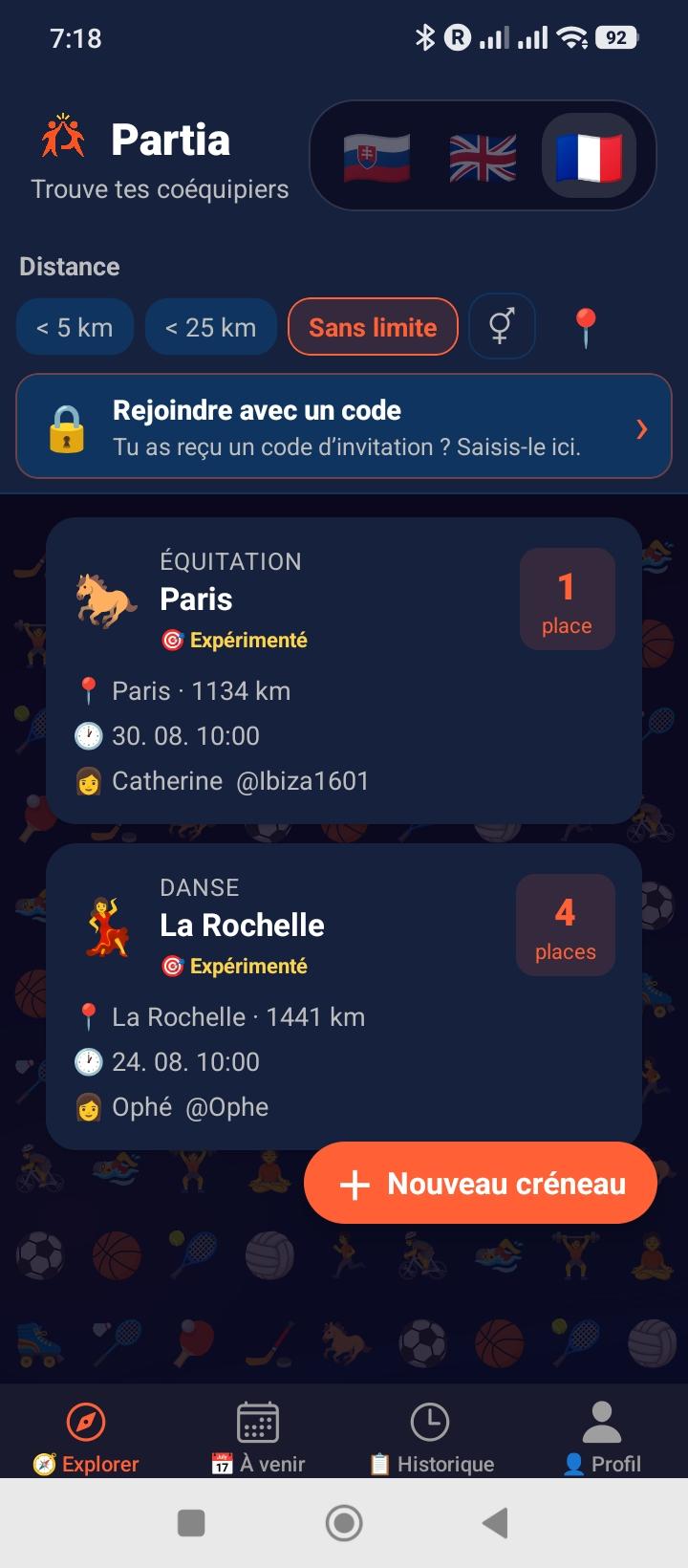
L'écran principal liste tous les créneaux disponibles autour de toi. Filtre par distance, trie par date ou proximité, et vois d'un coup d'œil les places restantes.

  • →GPS automatique : position en temps réel pour calculer la distance
  • →Filtre distance : trois choix lisibles, 10 km / 50 km / ∞ — Free jusqu’à 10 km avec un aperçu anonyme et verrouillé des créneaux entre 10 et 50 km, Premium jusqu’à 50 km et Premium+ sans limite. Appui long sur une chip pour afficher son explication.
  • →Tri : par distance ou par date — appui long sur le bouton de tri → tooltip indiquant le mode actif et comment basculer
  • →Pull to refresh : tire vers le bas pour actualiser
  • →État vide : message "Aucun créneau trouvé" si rien dans ton rayon
💡 GPS désactivé ? L'app utilise la ville de ton profil comme fallback (si elle est déclarée depuis au moins 30 jours). Sans ville stable ni GPS, tous les créneaux s'affichent (filtre ∞).
4
Créer un Créneau
Bouton + en bas
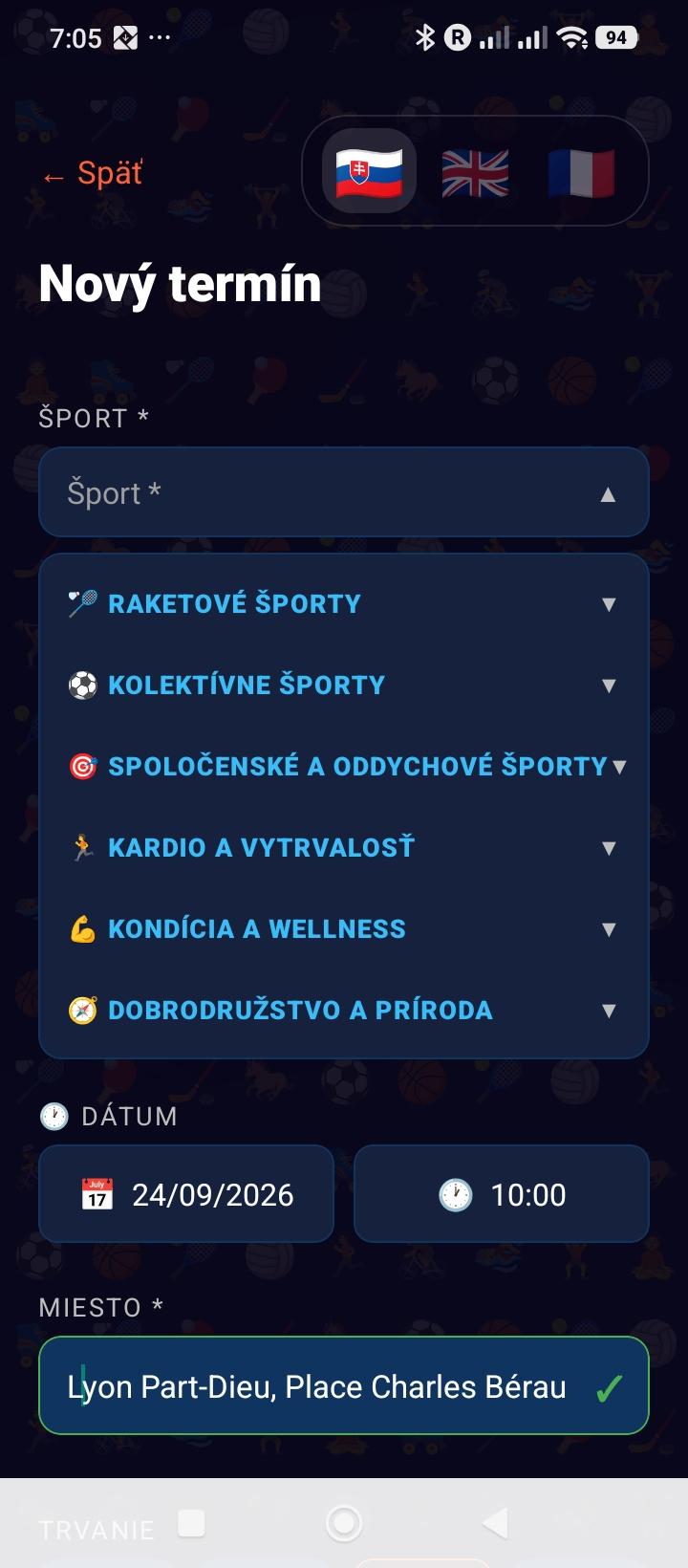
Création d'un créneau

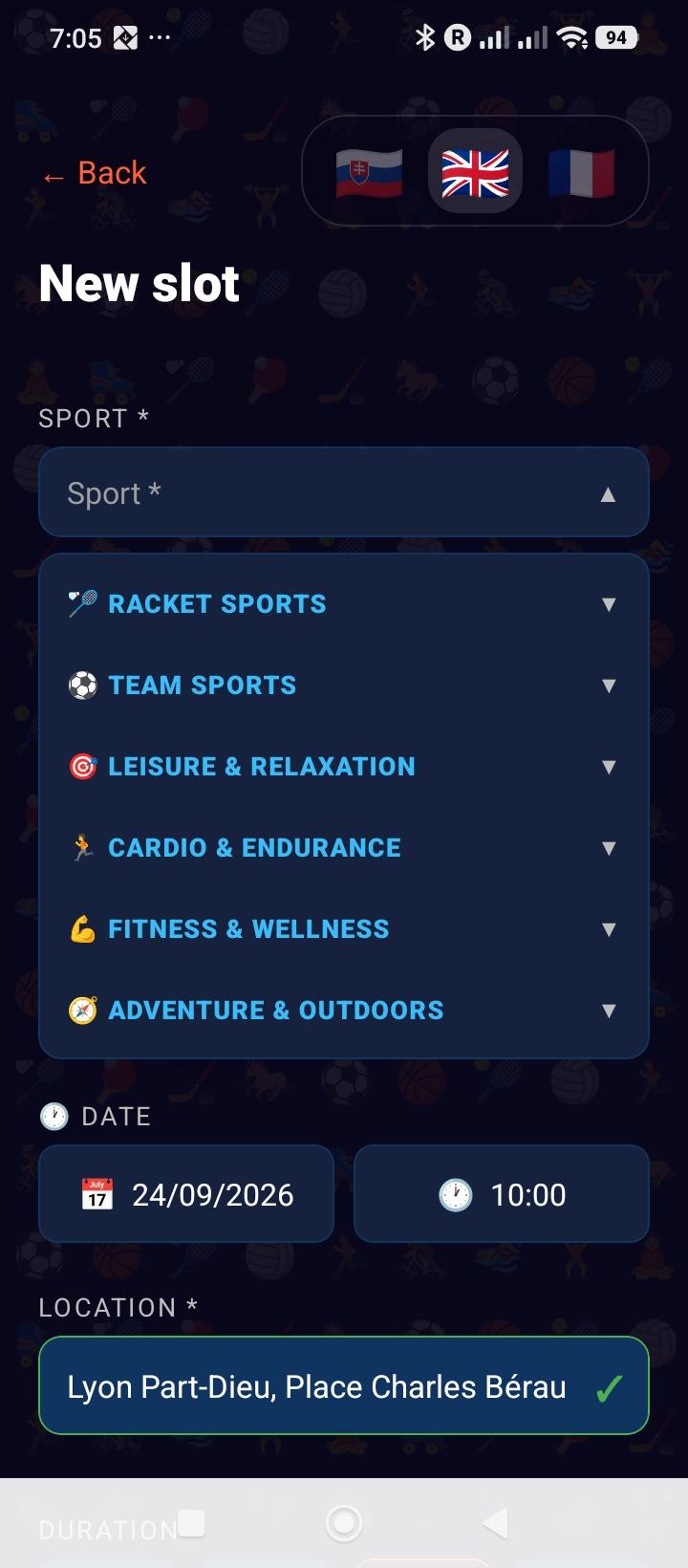
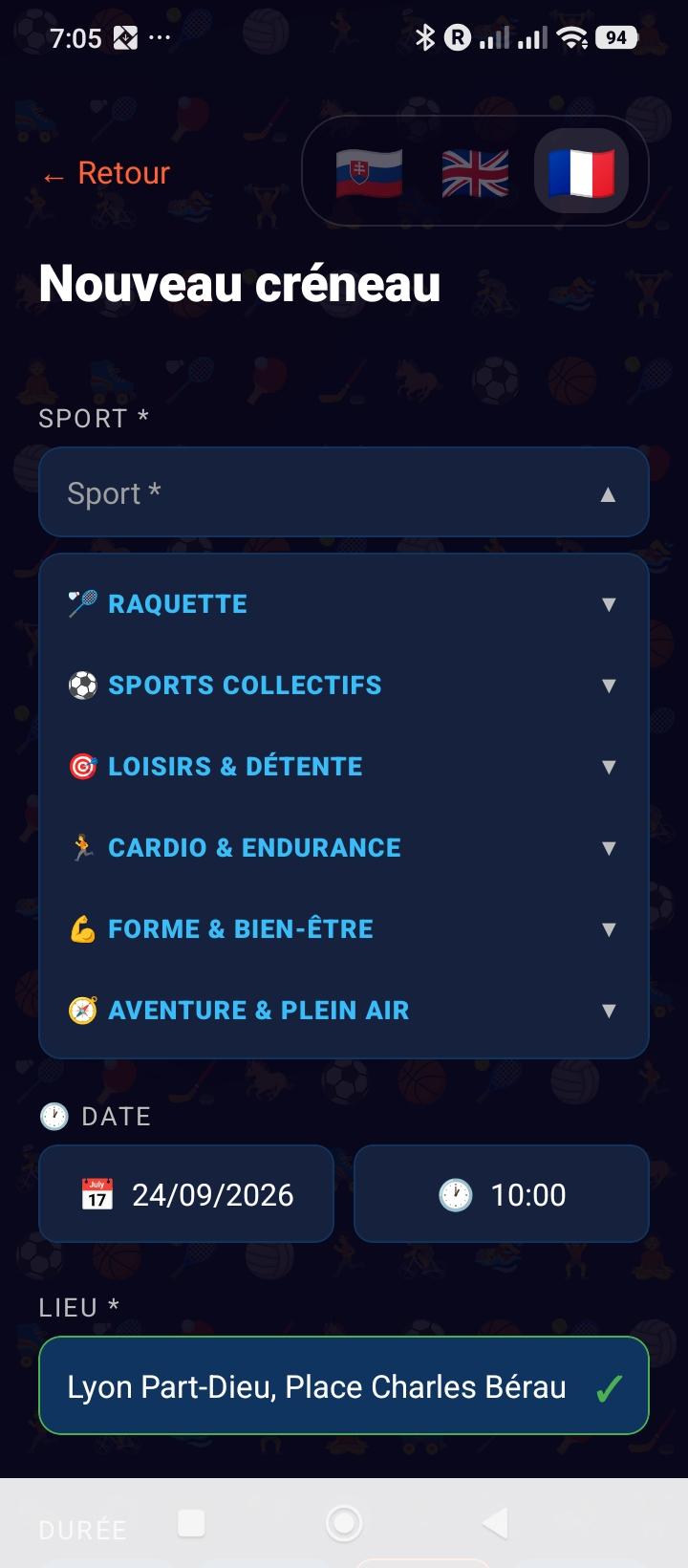
Crée un créneau en quelques secondes. Choisis le sport, le lieu, la date et le nombre de places. Un créneau public apparaît ensuite dans le fil des joueurs compatibles.

  • →Sport : 37 sports disponibles avec emoji
  • →Lieu : saisis au moins 2 lettres puis sélectionne un parc, stade, salle ou une adresse dans les suggestions Photon/OpenStreetMap
  • →Date & heure : sélecteur Android ; une heure déjà passée aujourd’hui est déplacée au prochain quart d’heure disponible
  • →Places : nombre de participants recherchés, hors organisateur
  • →Limite : 5 créneaux sur 30 jours glissants pour tout le compte Free, profils enfants compris (Premium et Premium+ sans limite)
  • →Créneau privé : réservé aux comptes Premium+, invisible dans les résultats publics, rejoignable uniquement via un code à partager
  • →Profil enfant : tu peux créer un créneau pour ton fils/ta fille depuis son profil
  • →Profil 15-17 ans : dans Explorer, touche le cadenas 🔒/🔓 pour comprendre ou contrôler l'accès aux créneaux adultes
5
Détail d'un Créneau
Tap sur une carte
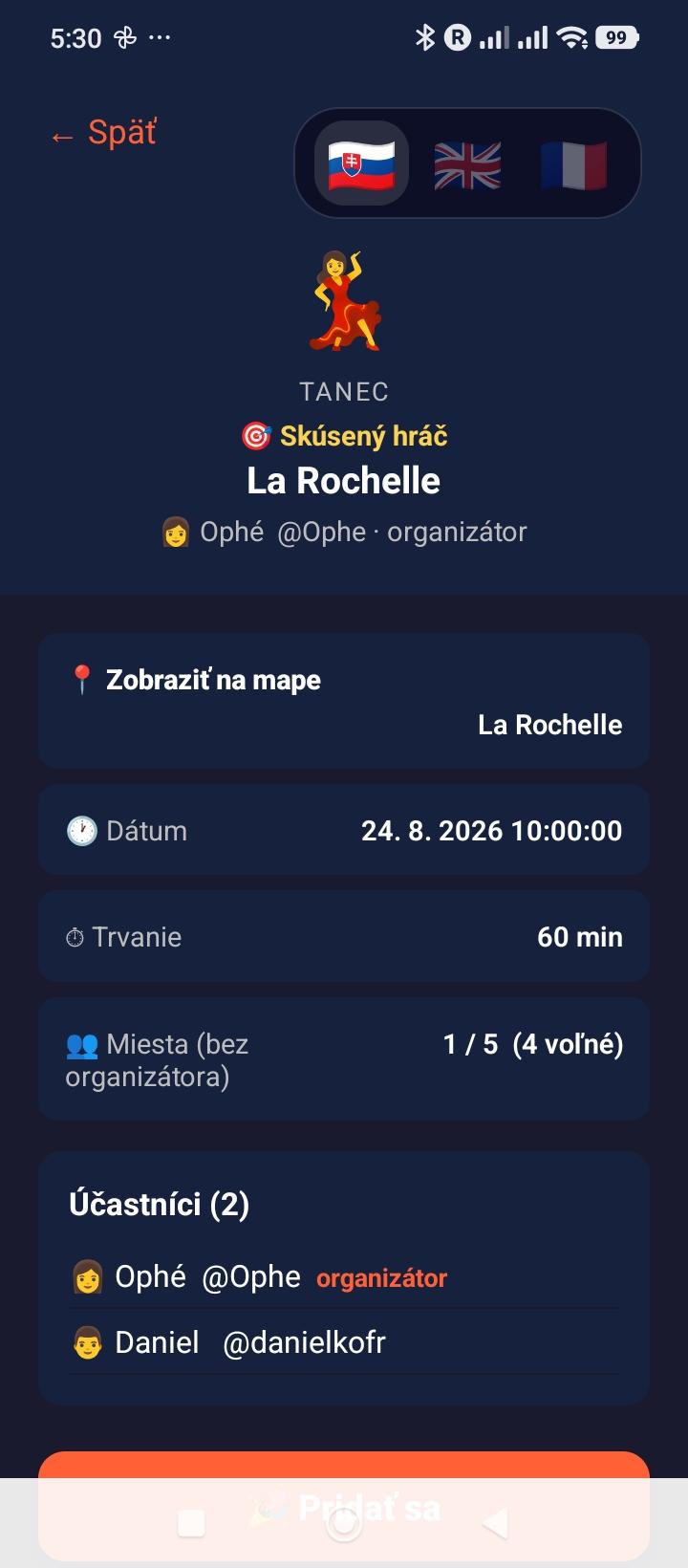
Détail d'un créneau

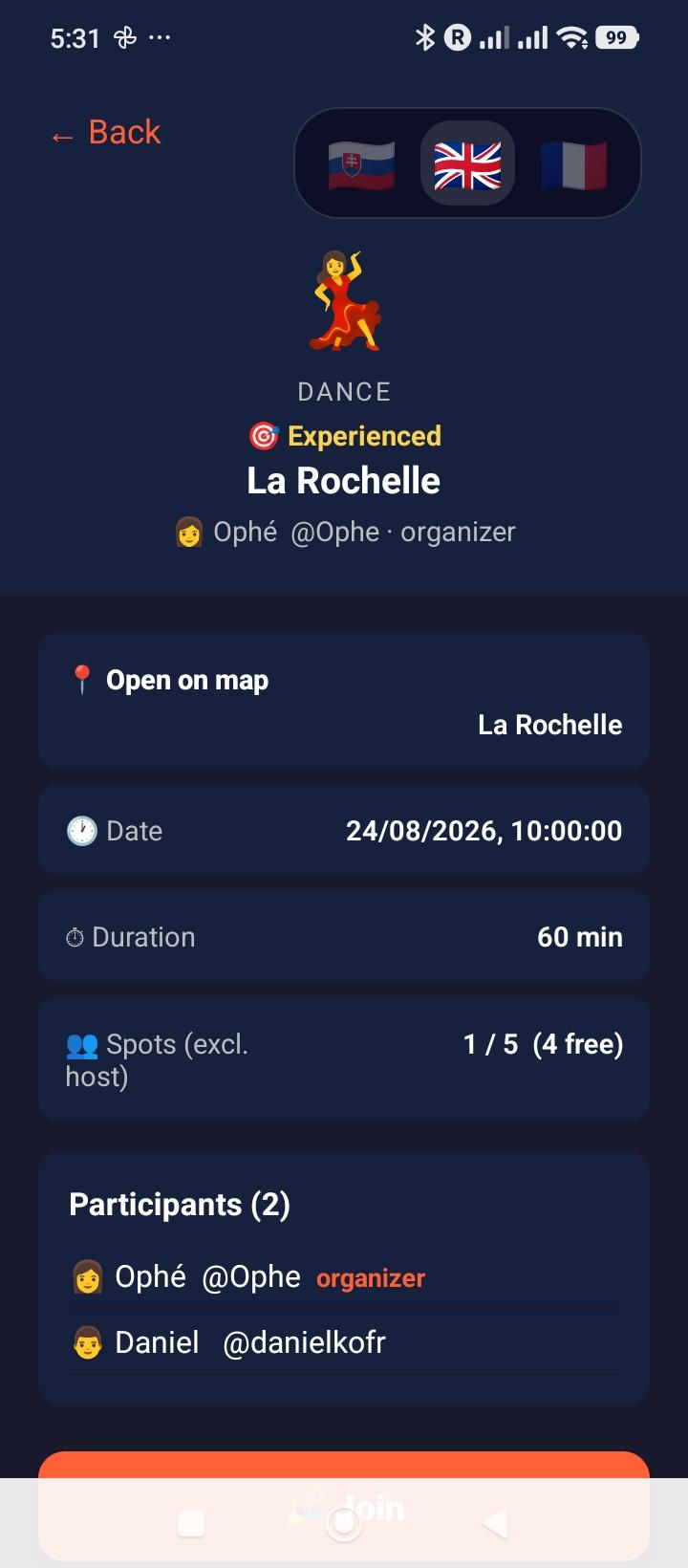
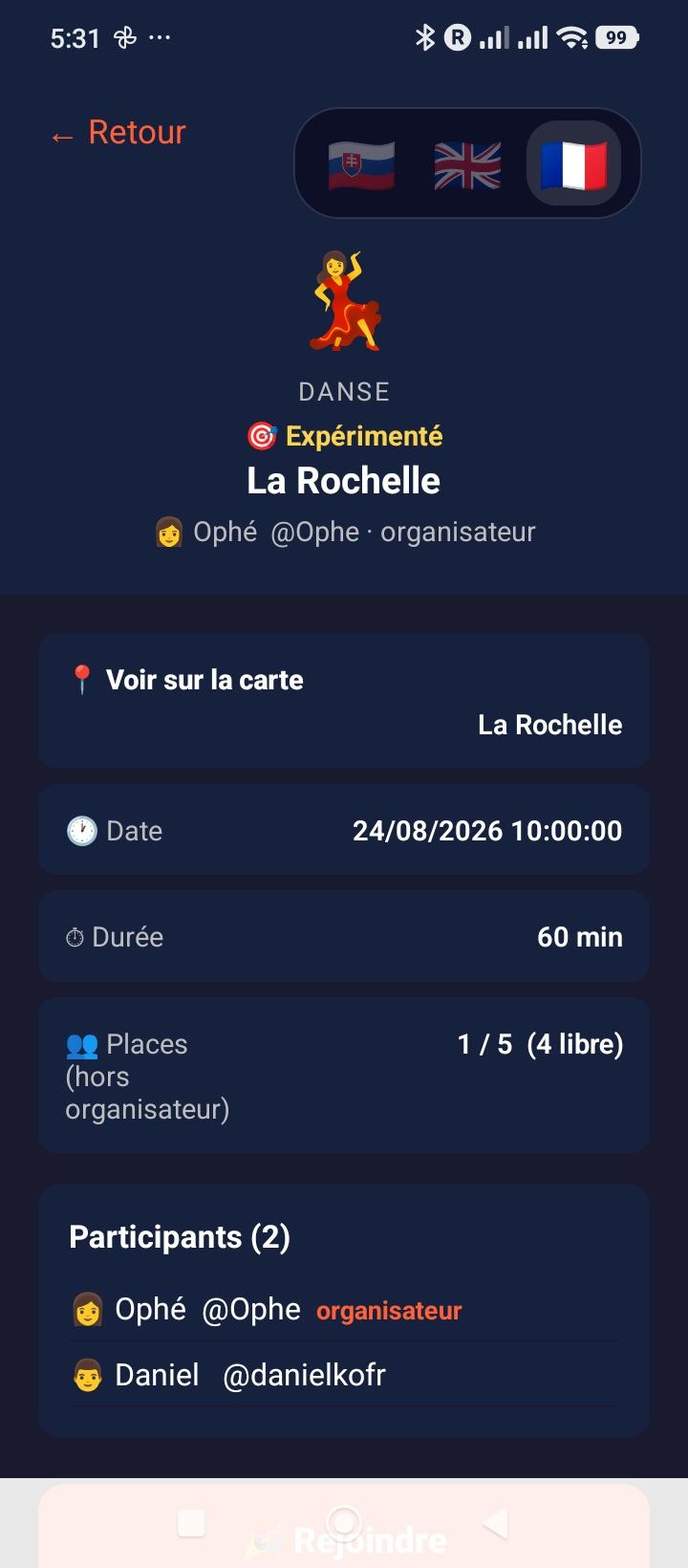
Vois tous les détails d'un créneau avant de rejoindre : sport, lieu, date, organisateur, participants inscrits. Rejoins en un tap si des places sont disponibles.

  • →Rejoindre : le profil actif (parent ou enfant autorisé) peut prendre une place s'il n'est pas encore inscrit
  • →Parent + enfant 15–17 autorisé : ils peuvent rejoindre séparément le même créneau adulte tiers ; chacun occupe une place. Cette possibilité ne concerne pas les 3–14 ans
  • →Se désinscrire : avant le début, uniquement pour le profil actif sans retirer l'autre profil du compte
  • ⚠️Départ à moins de 2h du début : reste visible dans la liste des participants et signalable par les autres, contrairement à un désistement fait plus tôt
  • →Participants : liste avec avatars et prénoms, tap pour voir le profil public
  • →Annuler : le créateur peut annuler son créneau (notification envoyée aux participants)
  • →Chat : accès direct au groupe de discussion du créneau
  • →Signalement : bouton discret pour signaler un contenu inapproprié
6
Chat de Groupe
Par créneau
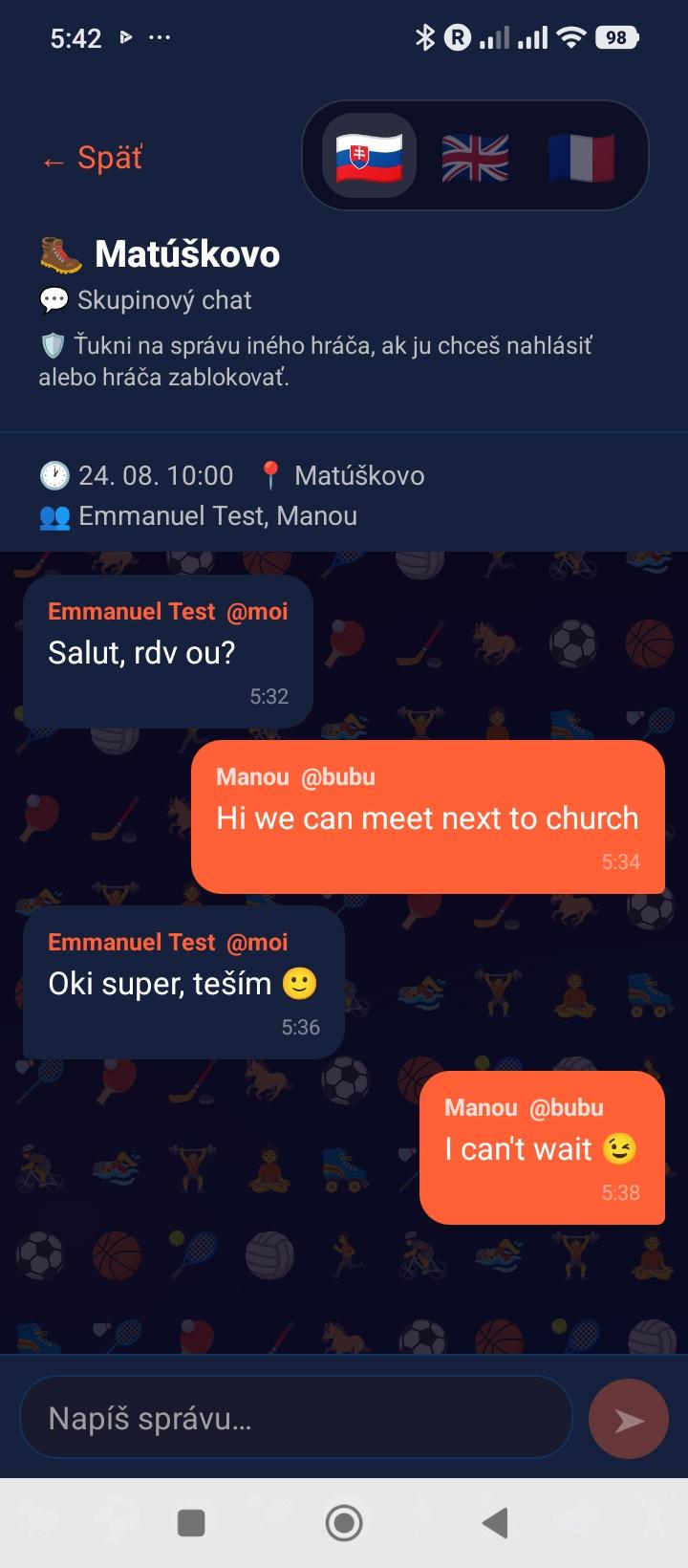
Chat de groupe d'un créneau

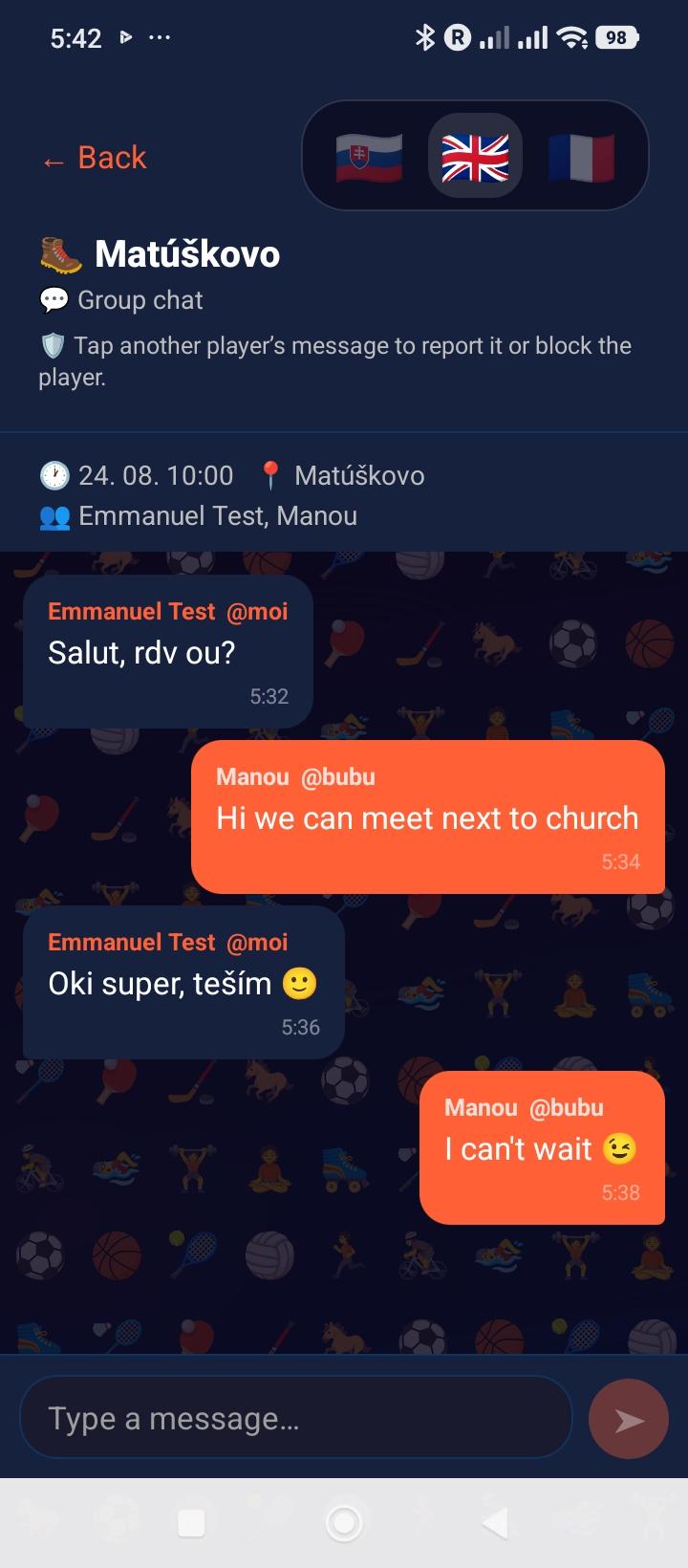
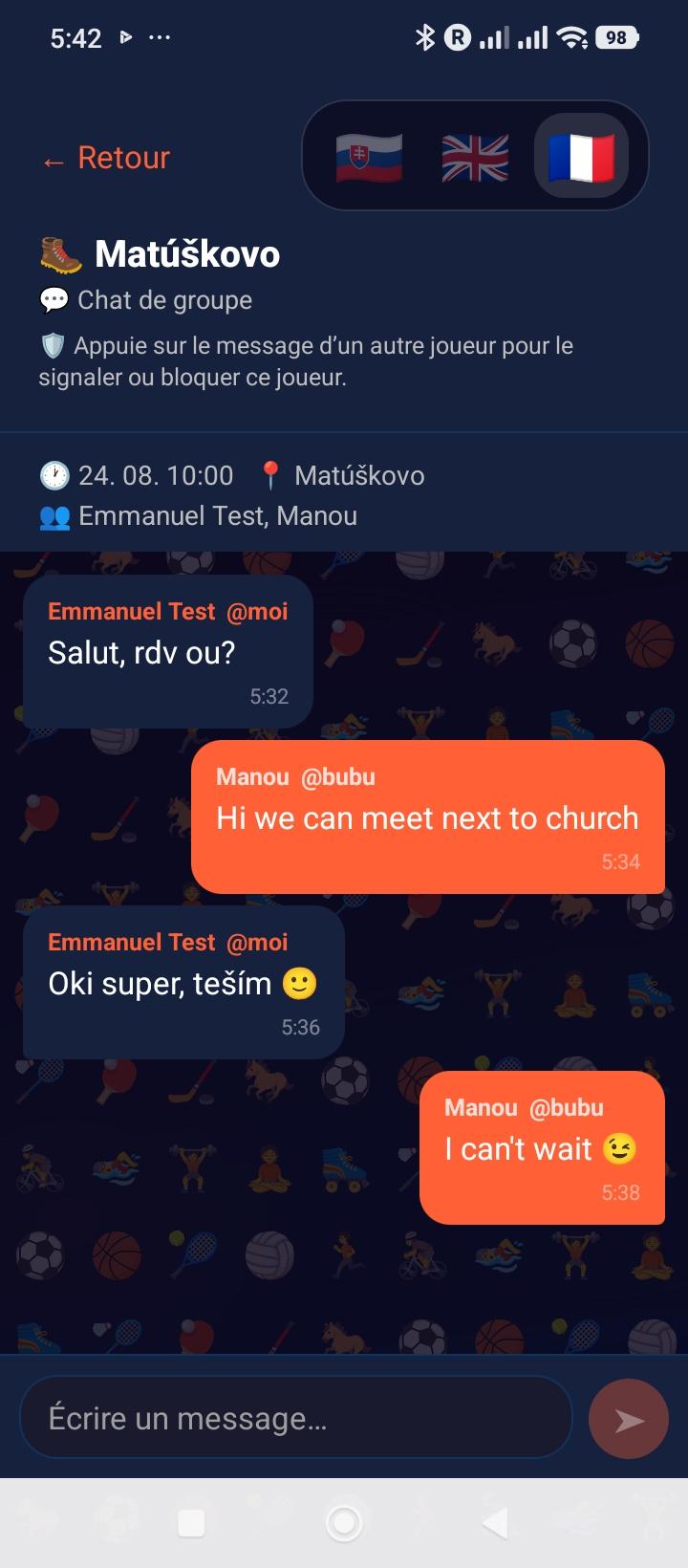
Chaque créneau a son propre groupe de chat. Seuls les participants inscrits y ont accès. Coordonne-toi directement dans l'app : matériel, horaires, point de rendez-vous.

  • →Accès par profil : seul le profil actif inscrit voit le chat ; l’inscription de l’enfant ne l’ouvre pas au profil adulte non inscrit
  • →Rafraîchissement : les nouveaux messages apparaissent toutes les 5 secondes automatiquement
  • →Historique : tous les messages du créneau sont conservés
  • →Notification : tu reçois une notif push quand un nouveau message arrive
  • →Signaler ou bloquer : touche le message d'un autre joueur pour le signaler ou bloquer son auteur
💡 Le chat ferme lorsque le créneau est annulé ou passé. Les messages d'un utilisateur bloqué sont masqués dans les deux sens.
7
Historique
Onglet 📋
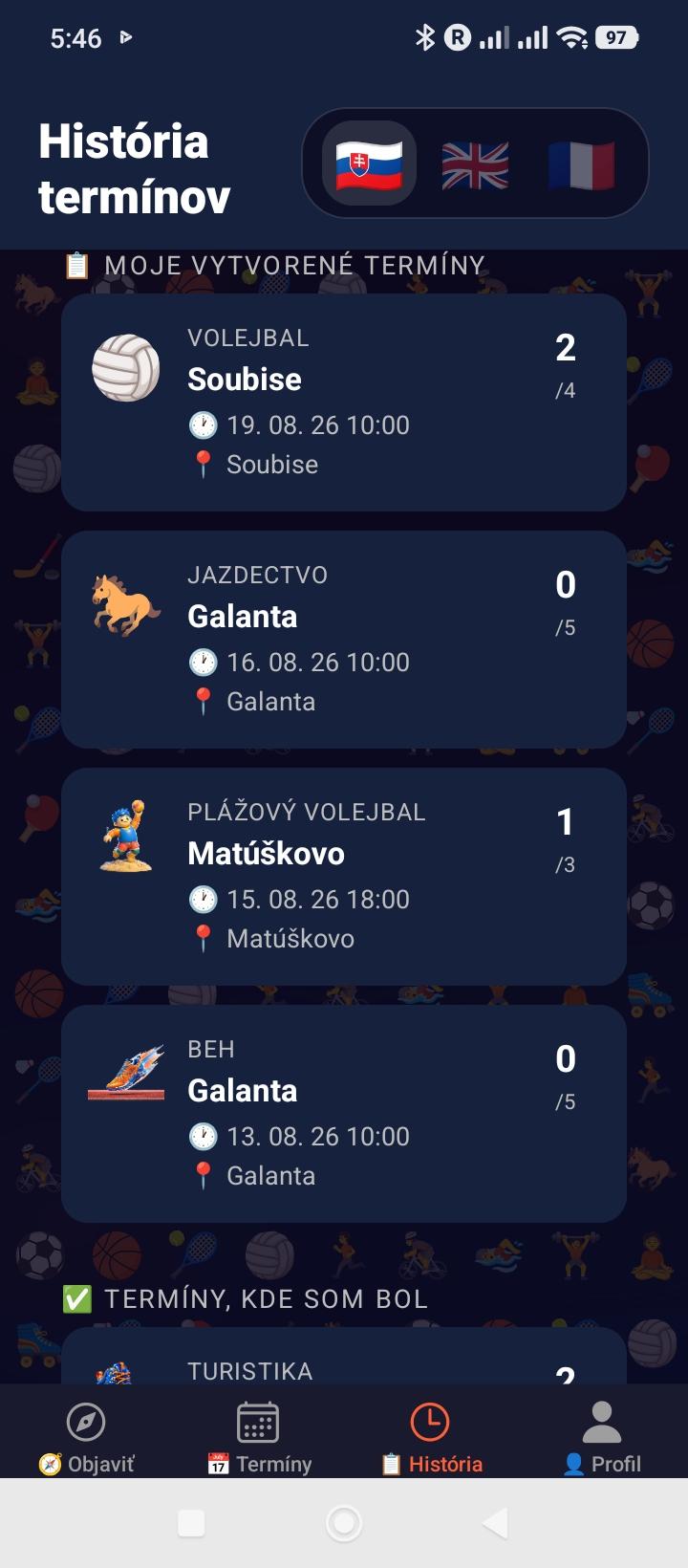
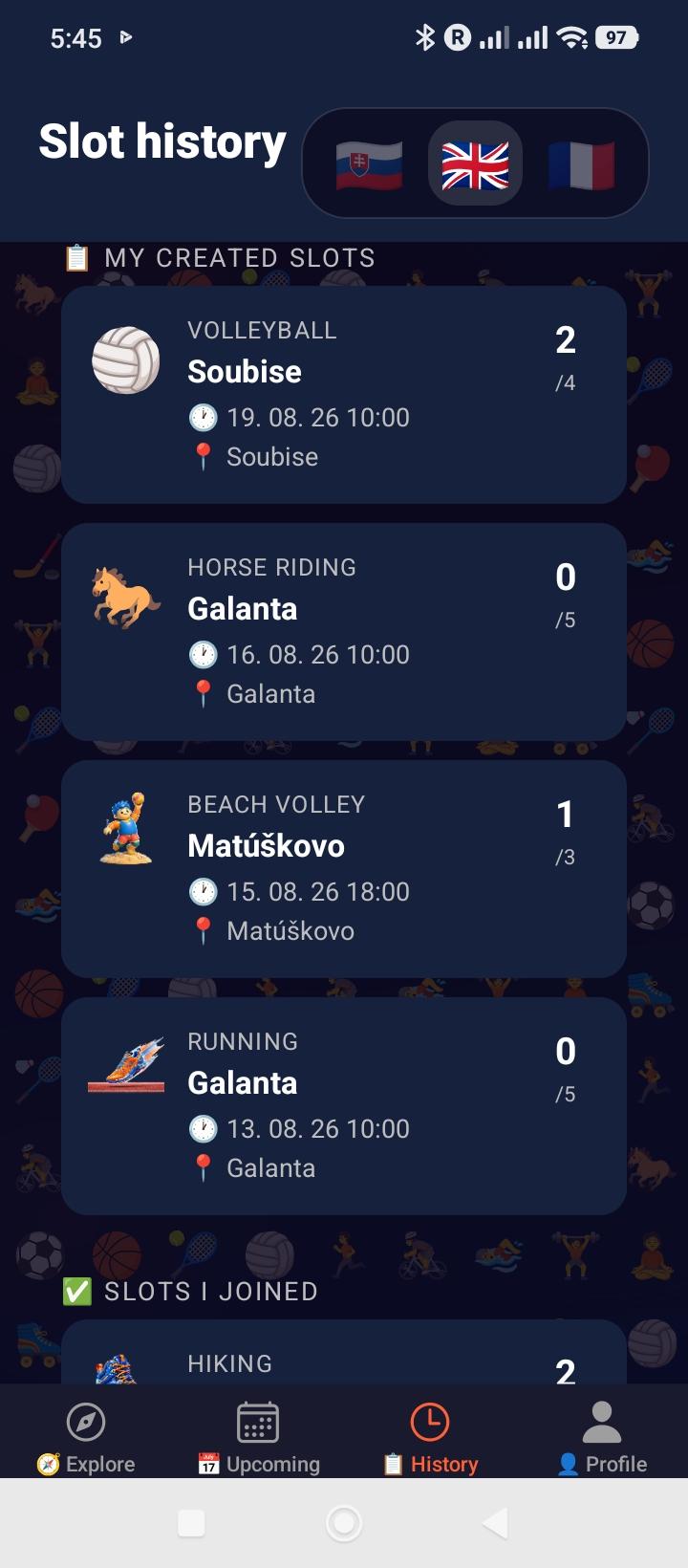
Historique des créneaux

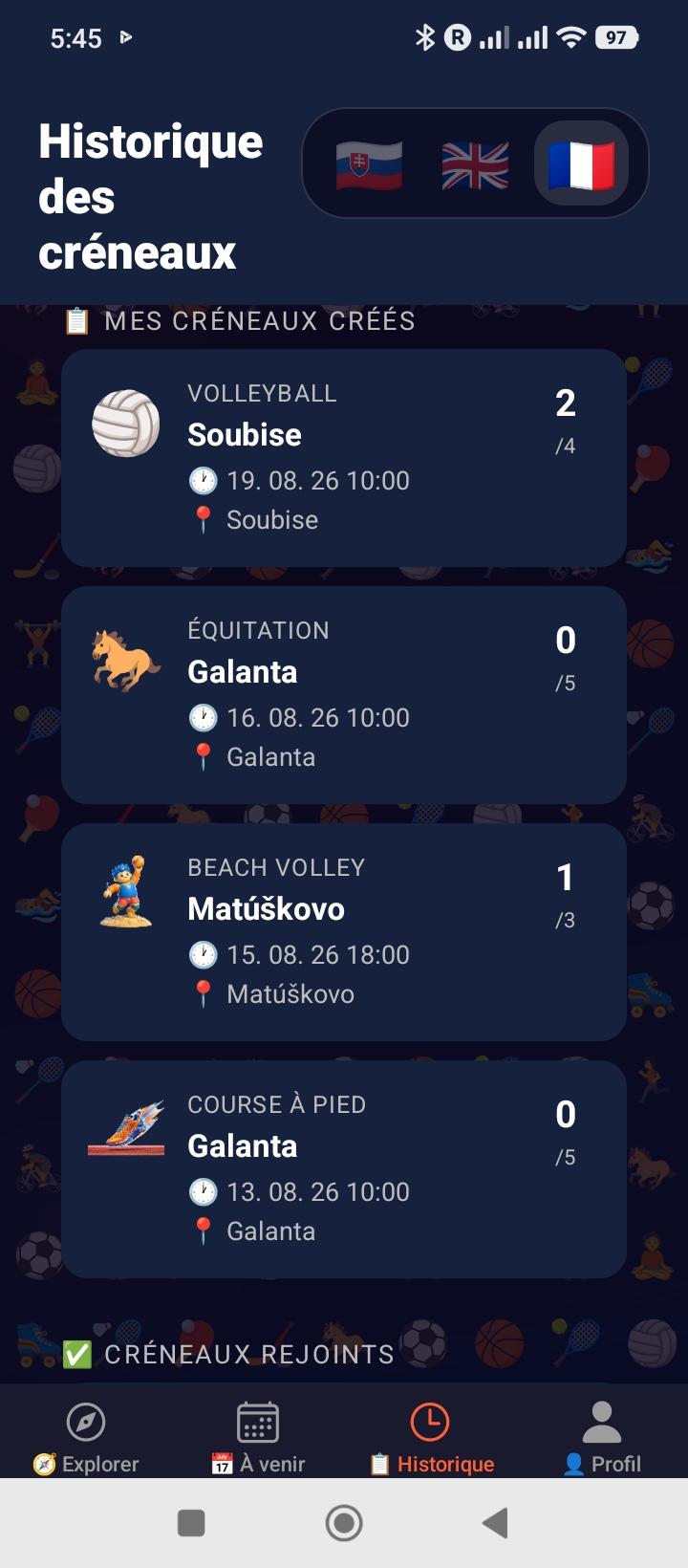
Retrouve tous tes créneaux passés et à venir : ceux que tu as créés, ceux que tu as rejoints, et ceux qui ont été annulés. Confirme ta présence après chaque session.

  • →Mes créneaux : tous les créneaux que tu as créés (actifs + passés)
  • →Profils : choisis directement Parent ou un enfant en haut de l’écran ; créneaux, confirmations et notations suivent ce choix
  • →Rejoints : créneaux auxquels le profil choisi participe ou a participé
  • →Annulés : créneaux annulés par toi ou l'organisateur
  • →Confirmer la présence : bouton "C'était bien ?" une fois le créneau terminé — active les notations
💡 Important : confirme ta présence après chaque session pour débloquer la notation des autres joueurs.
8
Mon Profil
Onglet 👤
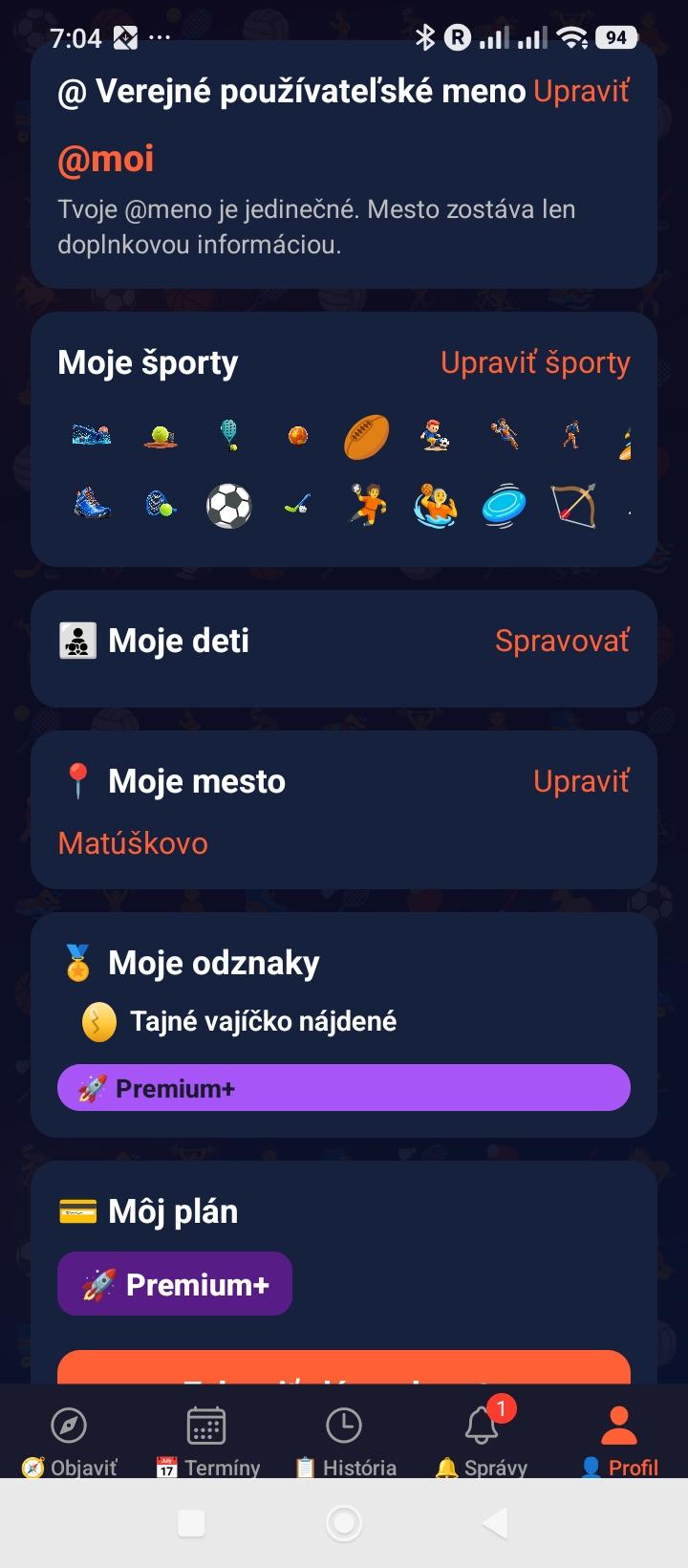
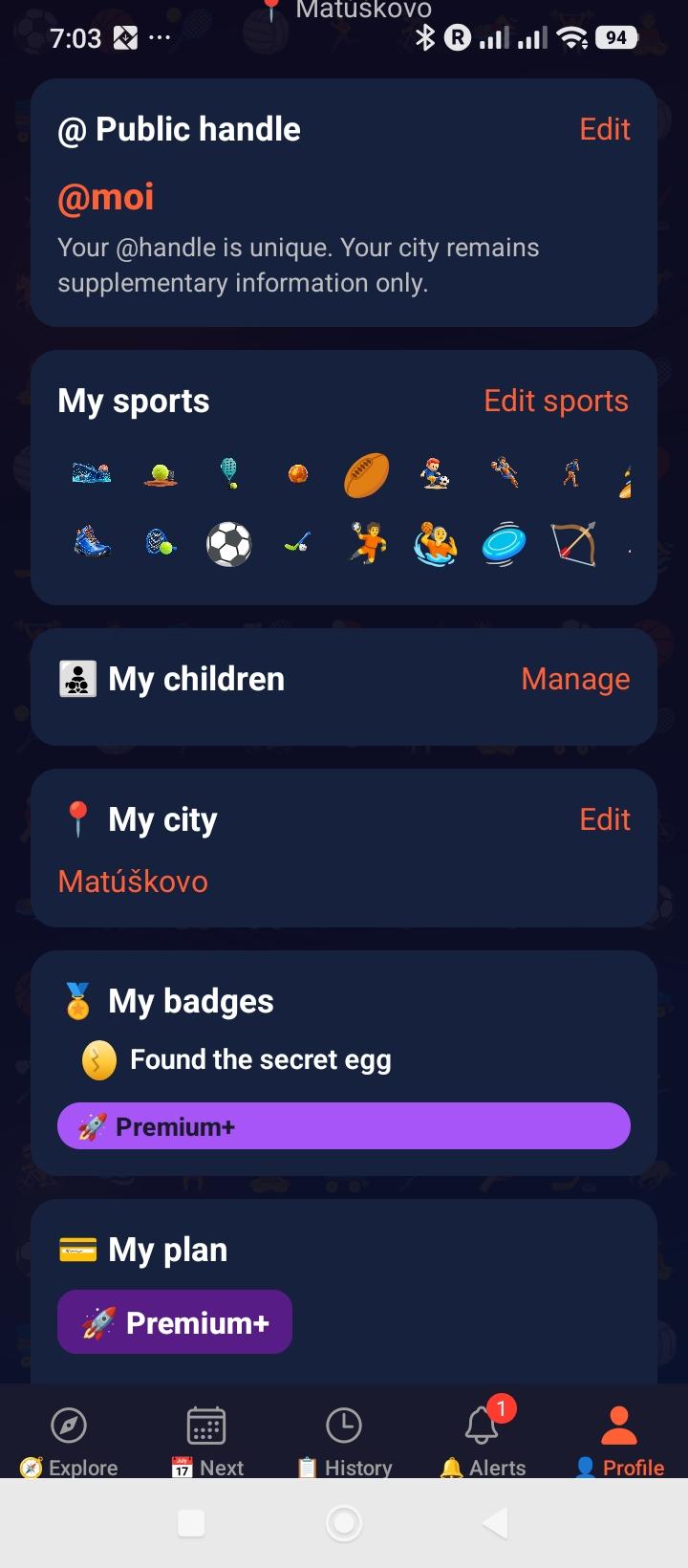
Mon profil

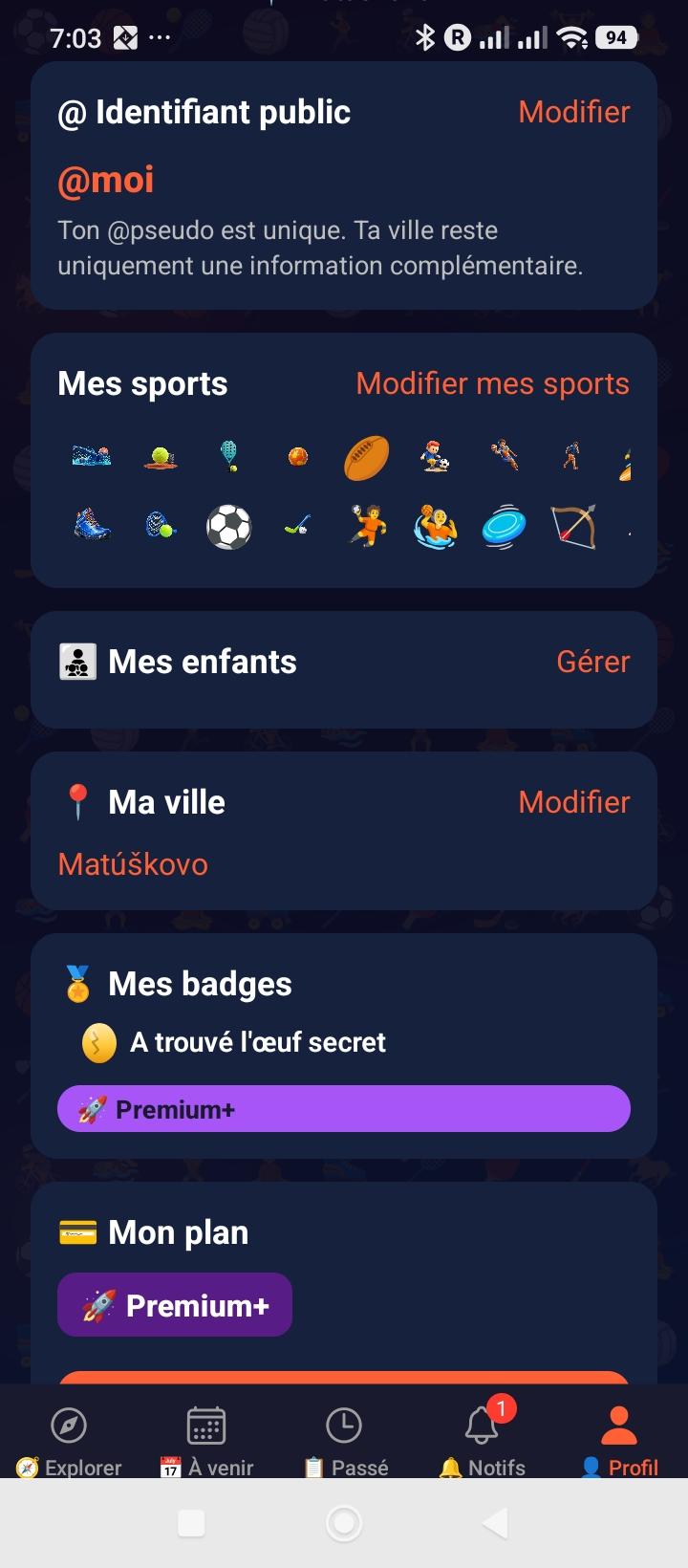
Ton profil centralise toutes tes informations : photo, pseudo, sports pratiqués, ville, badges reçus et profils enfants. C'est la vitrine que les autres joueurs voient quand ils consultent ta fiche.

  • →Photo : upload depuis la galerie, recadrée automatiquement en 400×400
  • →Pseudo : ton @identifiant public unique, modifiable une fois tous les 30 jours (24h pour corriger une erreur de saisie juste après l'avoir changé)
  • →Sports : sélectionne jusqu'à tous les sports que tu pratiques
  • →Ville : recherche Photon/OpenStreetMap via le serveur — utilisée si le GPS est désactivé, même règle de correction sous 24h
  • →Mes statistiques : créneaux créés/rejoints, répartition par sport, présence confirmée, tendance du mois et plus grand créneau — sur 30 jours en Free, 90 jours en Premium, sans limite en Premium+
  • →Profils enfants : le parent, seul titulaire du compte, crée et gère les profils, effectue les inscriptions et supervise les rencontres
  • →15–17 ans : l'accès aux créneaux adultes exige le consentement parental enregistré dans Mes enfants
  • →5 badges positifs : ⏰ Ponctuel · ✅ Fiable · 🏅 Bon joueur · 😊 Cool · 💛 Fair-play
  • ⚠️Badge automatique : 🤪 Tête en l'air — déclenché si 2+ créneaux non confirmés sous 7 jours
  • 🥚Badge mystère : un badge caché existe quelque part dans l'app... à toi de le débusquer 😉
  • →Langue : bascule l'app en Français / Slovaque / Anglais
  • →Utilisateurs bloqués : liste et déblocage accessibles directement depuis le Profil
9
Notation Post-Match
Après confirmation
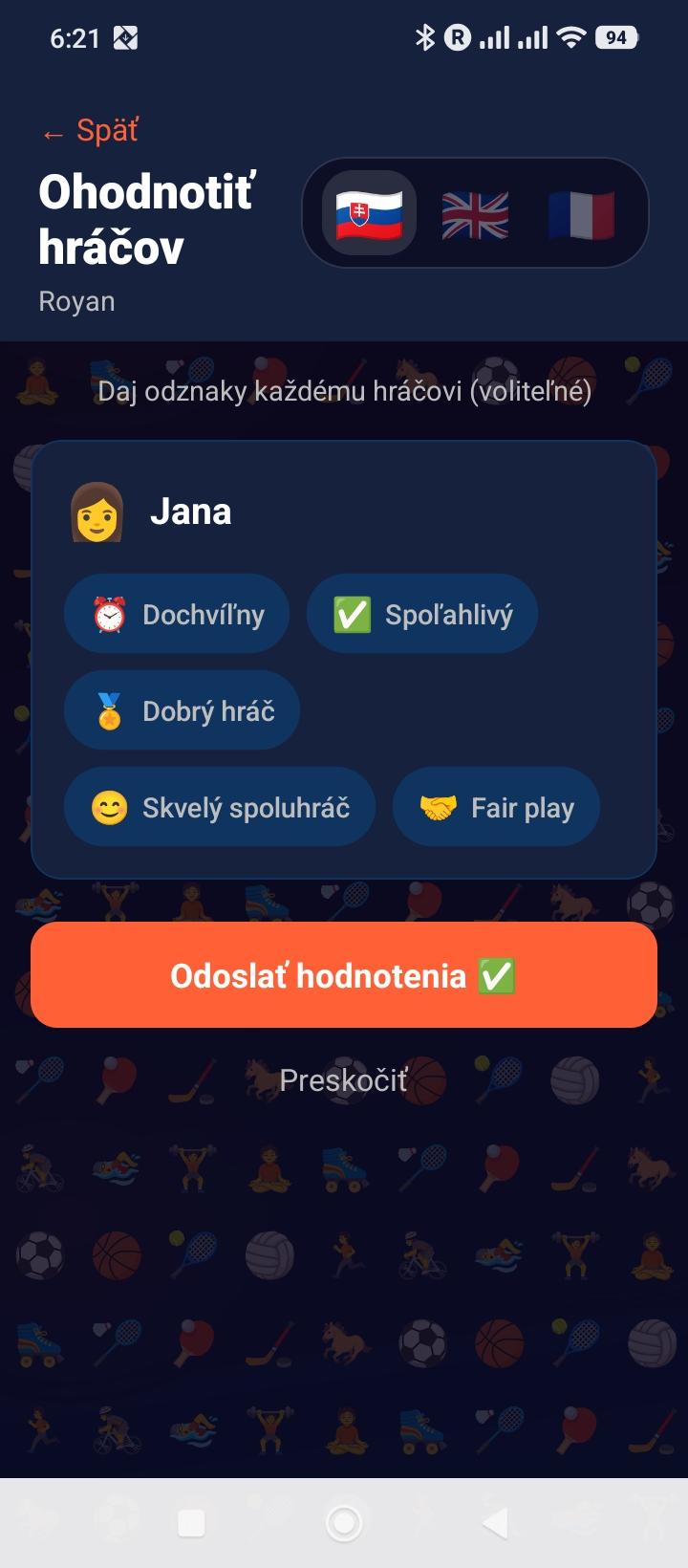
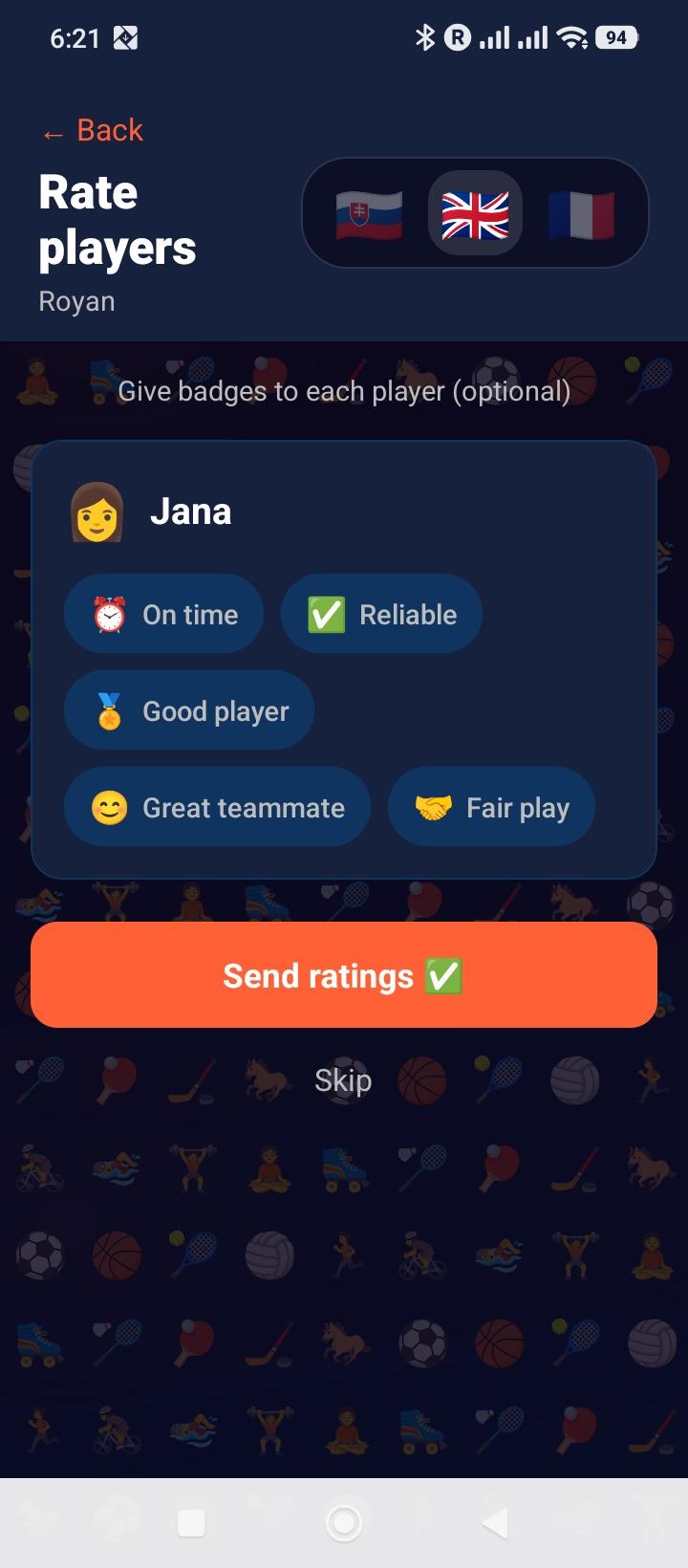
Notation post-match

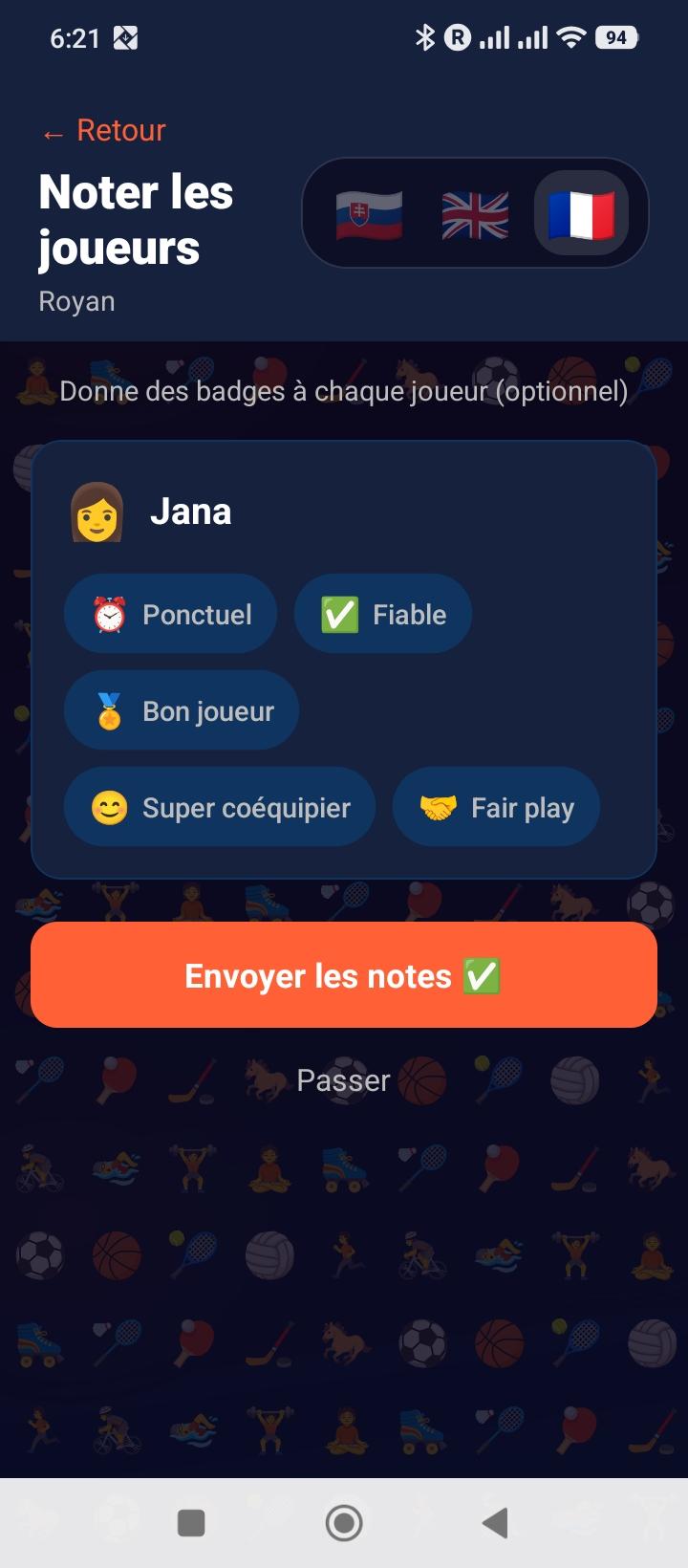
Après chaque session confirmée, note tes partenaires de jeu en attribuant des badges. Ces badges s'accumulent sur leur profil et construisent leur réputation sur Partia.

  • →5 badges positifs : ⏰ Ponctuel · ✅ Fiable · 🏅 Bon joueur · 😊 Cool · 💛 Fair-play — aucun badge négatif n'existe, seul le signalement sert à remonter un vrai problème
  • ⚠️1 badge automatique : 🤪 Tête en l'air — apparaît automatiquement si 2 créneaux ou plus des 30 derniers jours restent non confirmés après 7 jours. Appuie sur "J'y étais" dans la semaine suivant chaque session pour l'éviter
  • →Multi-sélection : attribue autant de badges que tu veux à chaque joueur
  • →Une notation par profil : si un parent et son enfant 15–17 autorisé participent ensemble, ils sont confirmés et notés séparément
  • →Badges distincts : chaque badge va au profil concerné ; le parent reste responsable du compte et du profil enfant
  • →Visible sur le profil : les badges s'affichent avec leur compteur sur le profil public
10
Profil Public d'un Joueur
Tap sur un participant
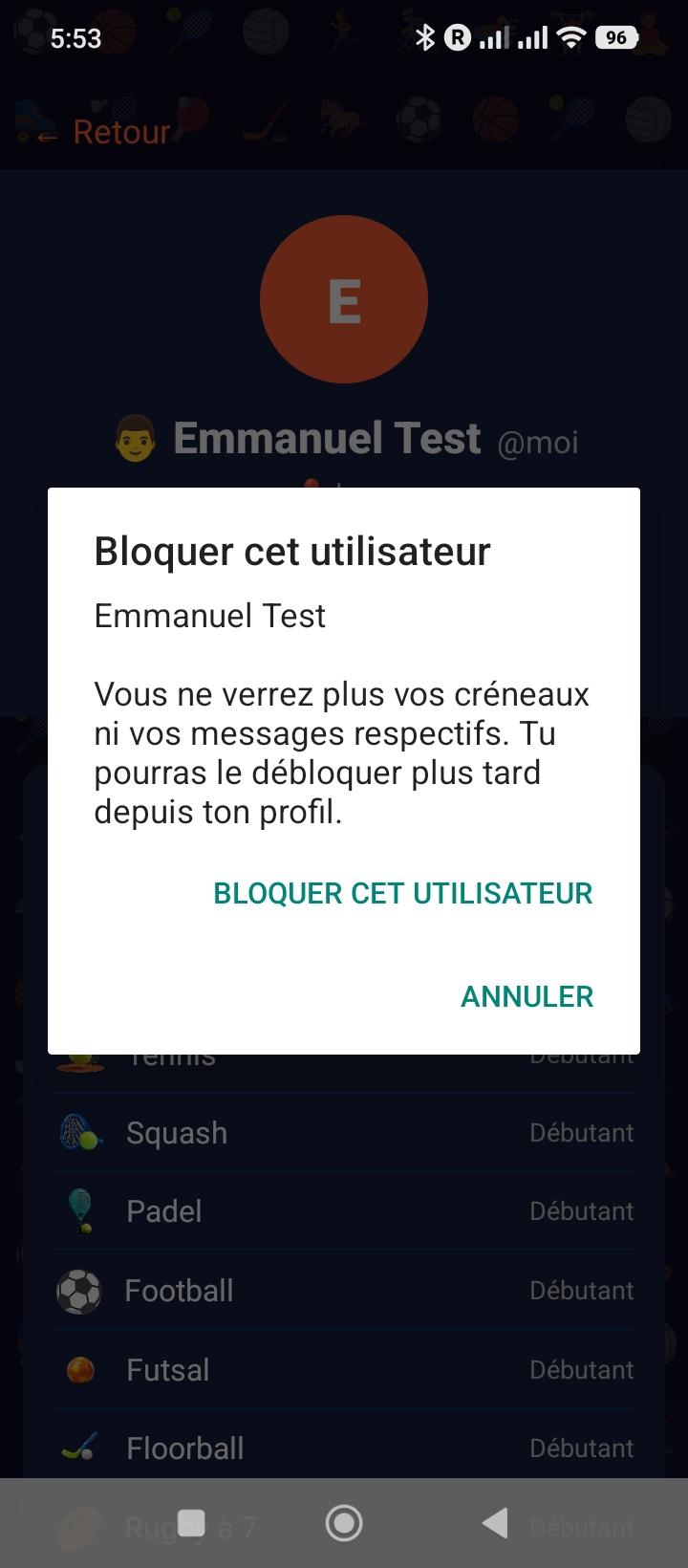
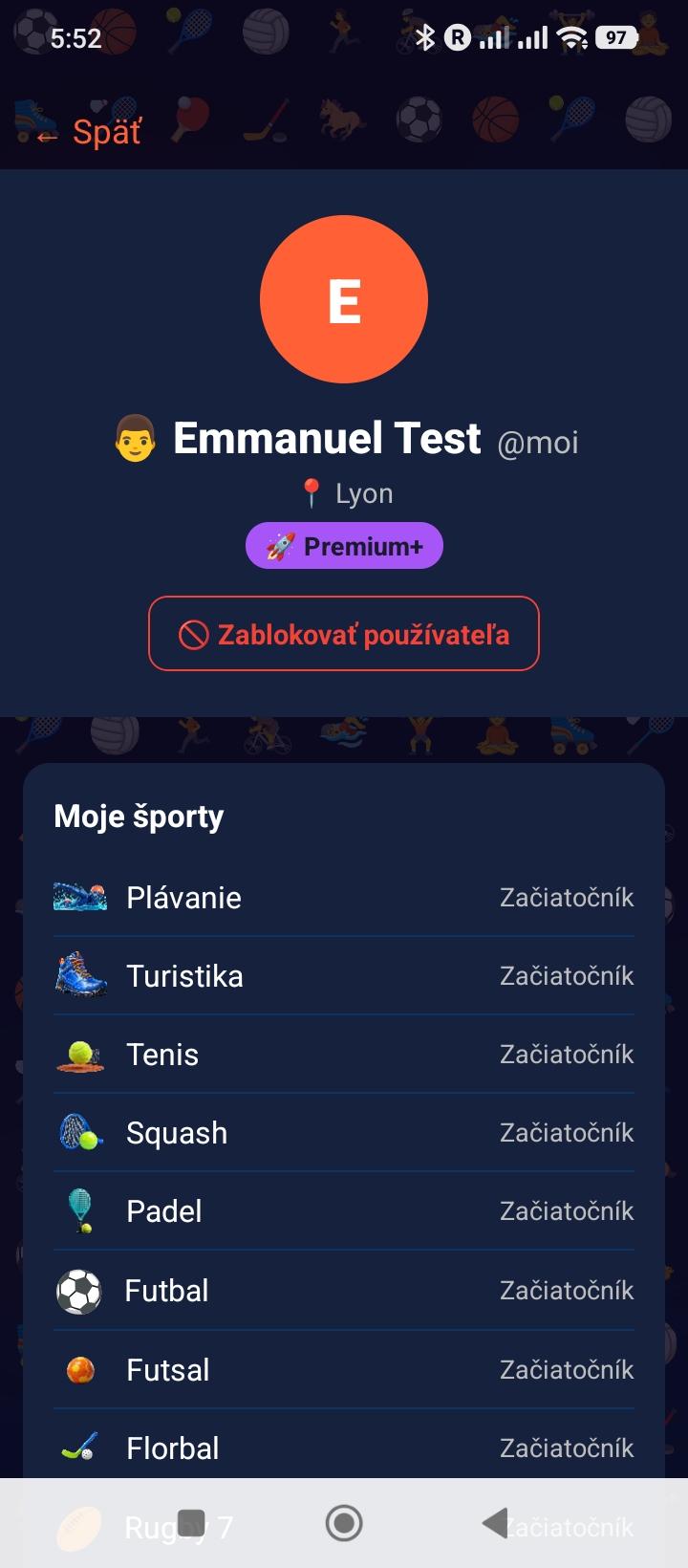
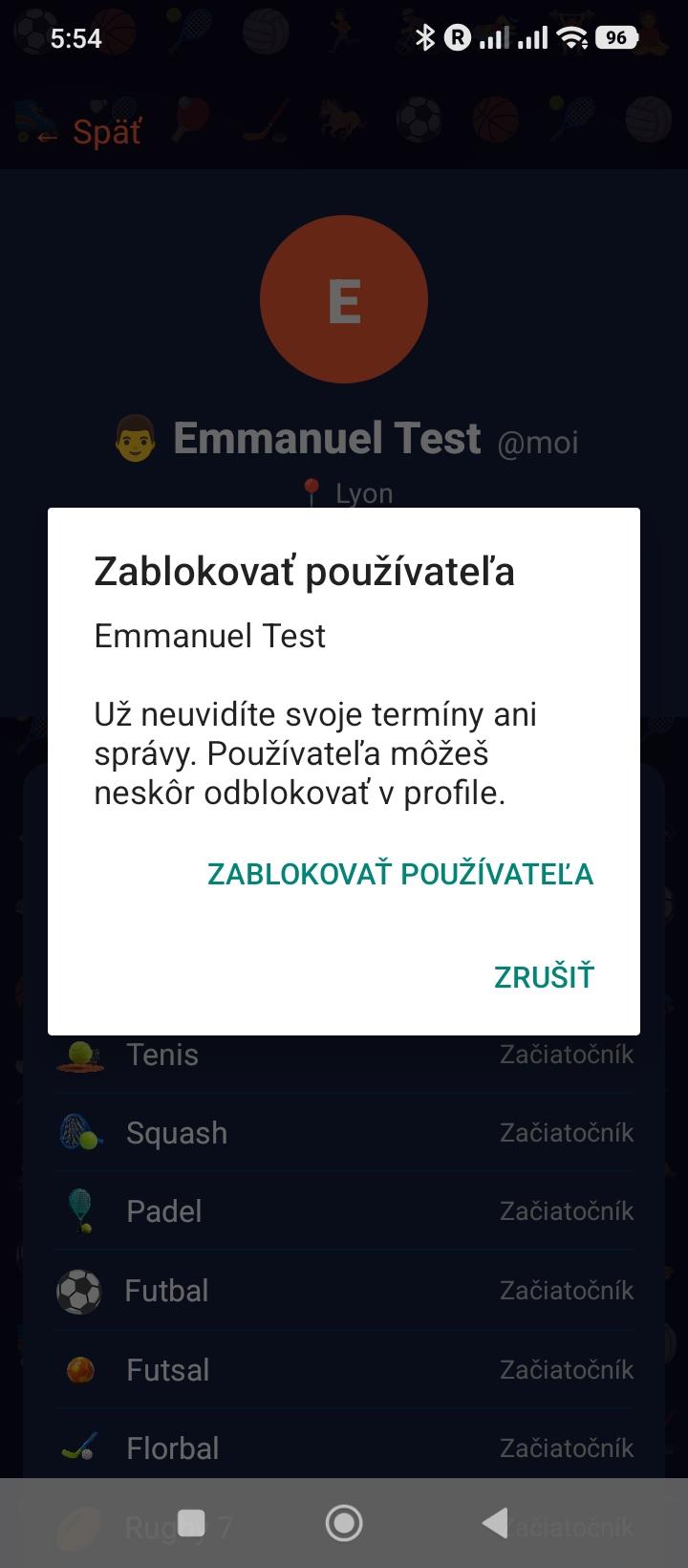
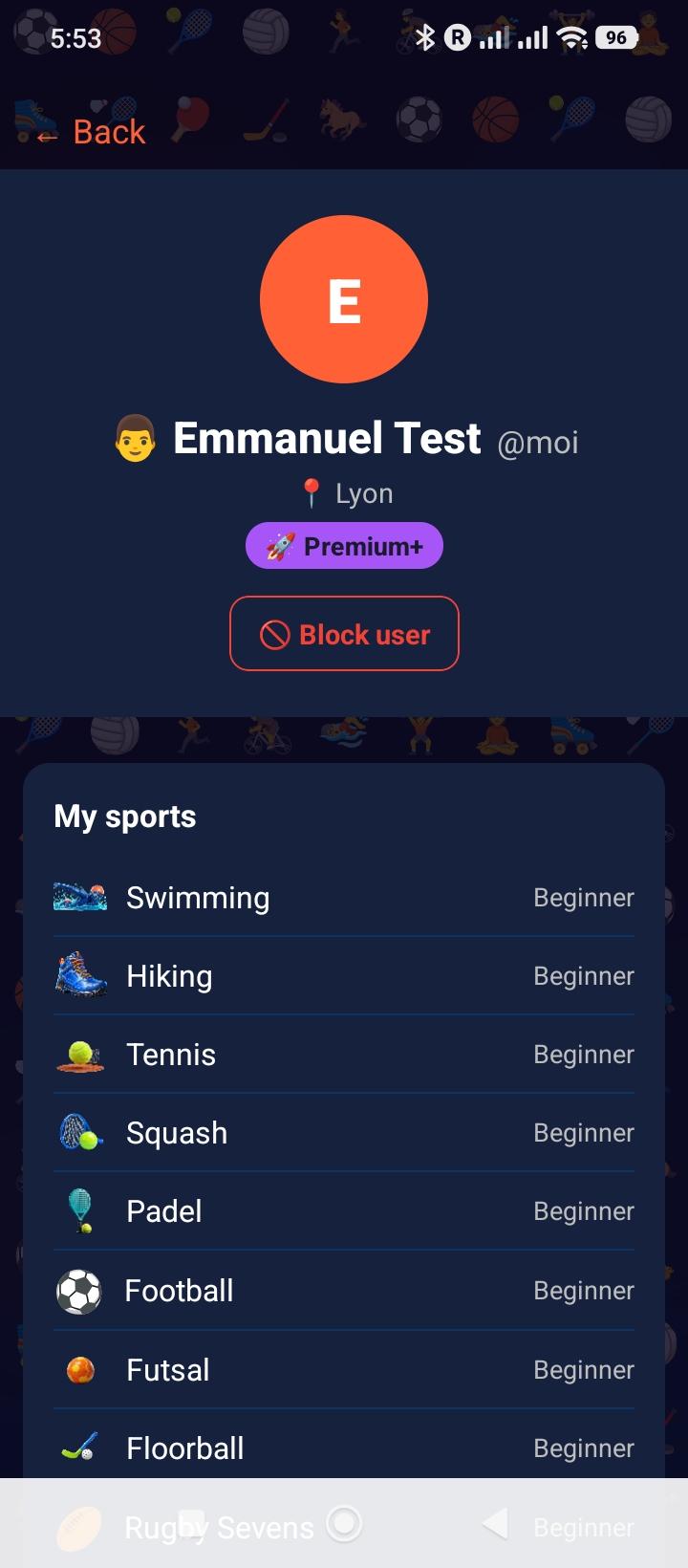
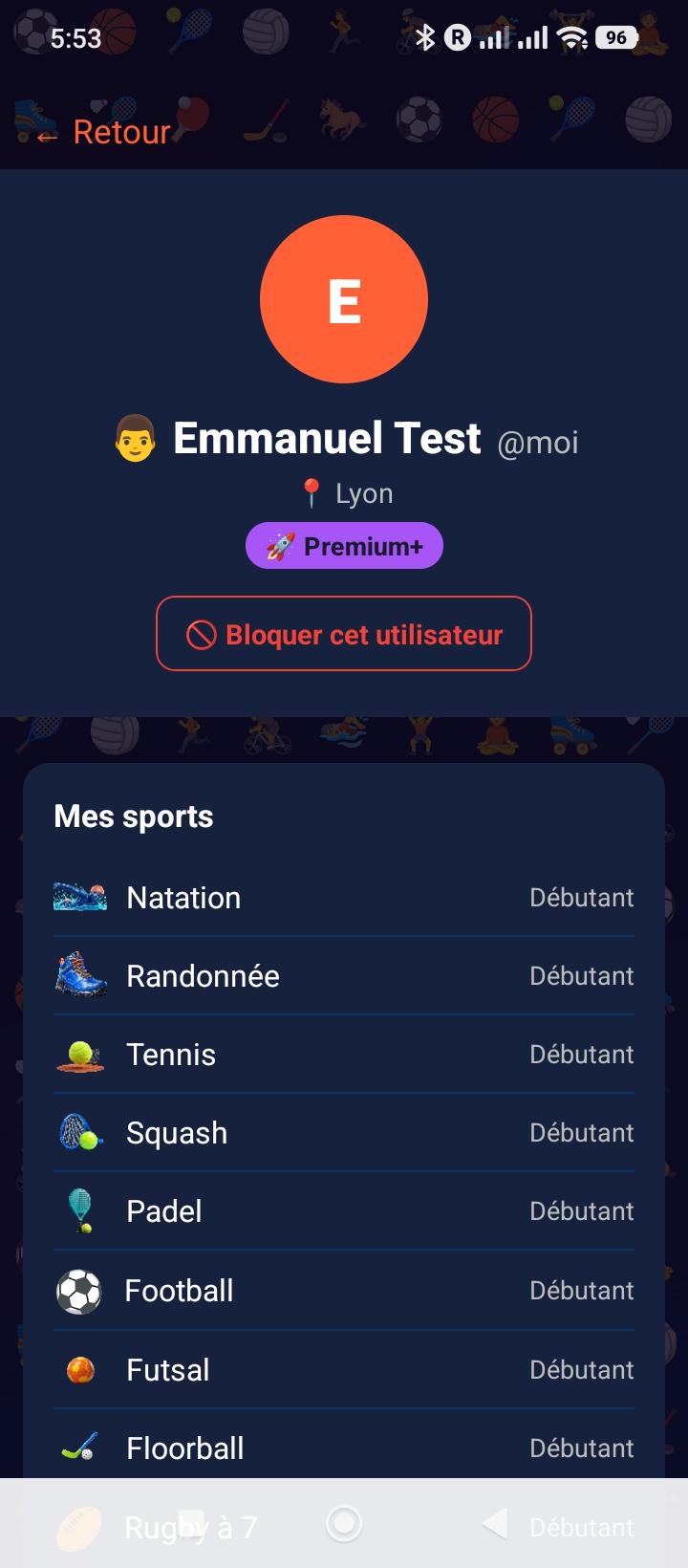
Profil public d'un joueurBloquer cet utilisateur

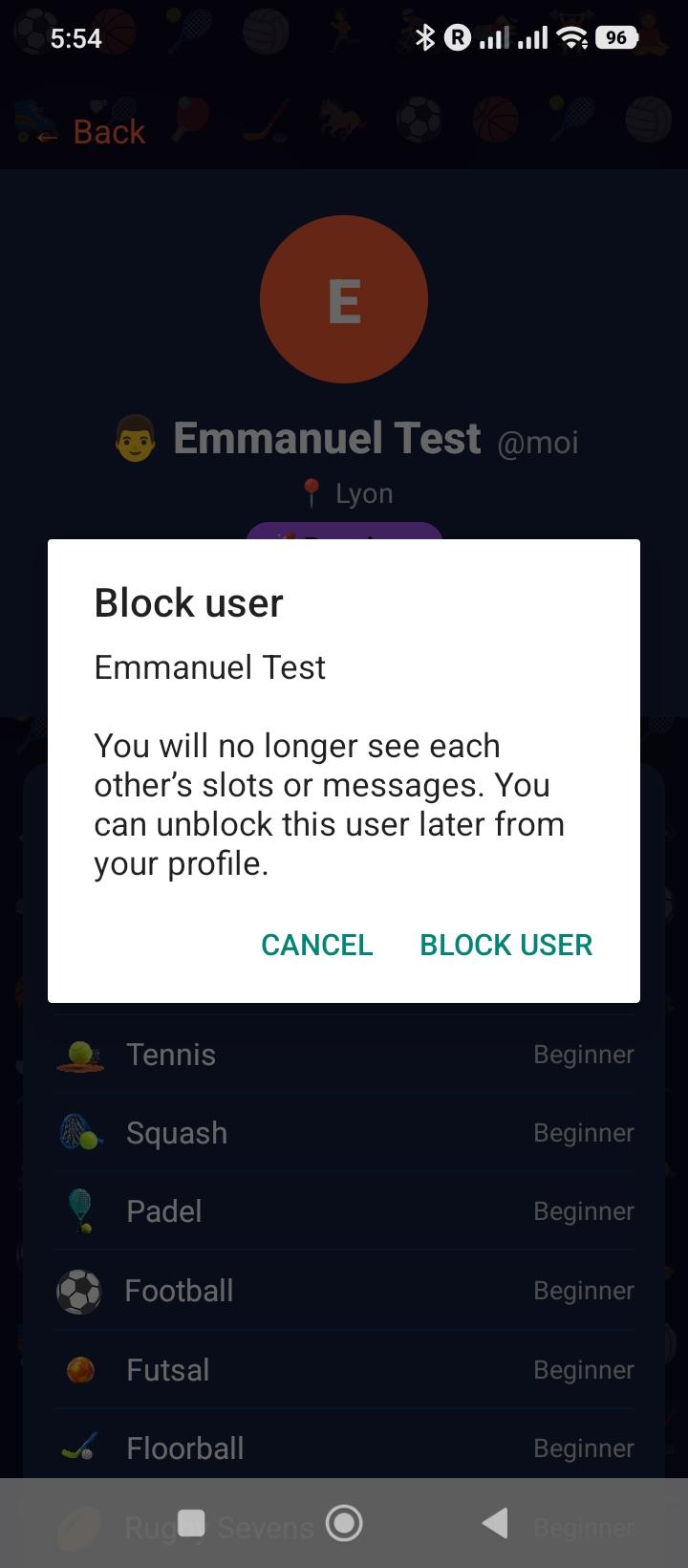
Clique sur n'importe quel participant d'un créneau pour voir son profil public : sports pratiqués, ville, tranche d'âge et badges accumulés. Vérifie la réputation d'un joueur avant de rejoindre son créneau.

  • →Infos visibles : prénom, ville, sexe, tranche d'âge, sports, badges
  • →Badges avec compteurs : nombre total de chaque badge reçu
  • →Protection vie privée : email et détails personnels jamais affichés
  • →Blocage : bouton disponible depuis le profil public ; les signalements se font depuis un créneau terminé ou directement sur un message du chat
11
Signalement
Sécurité communauté
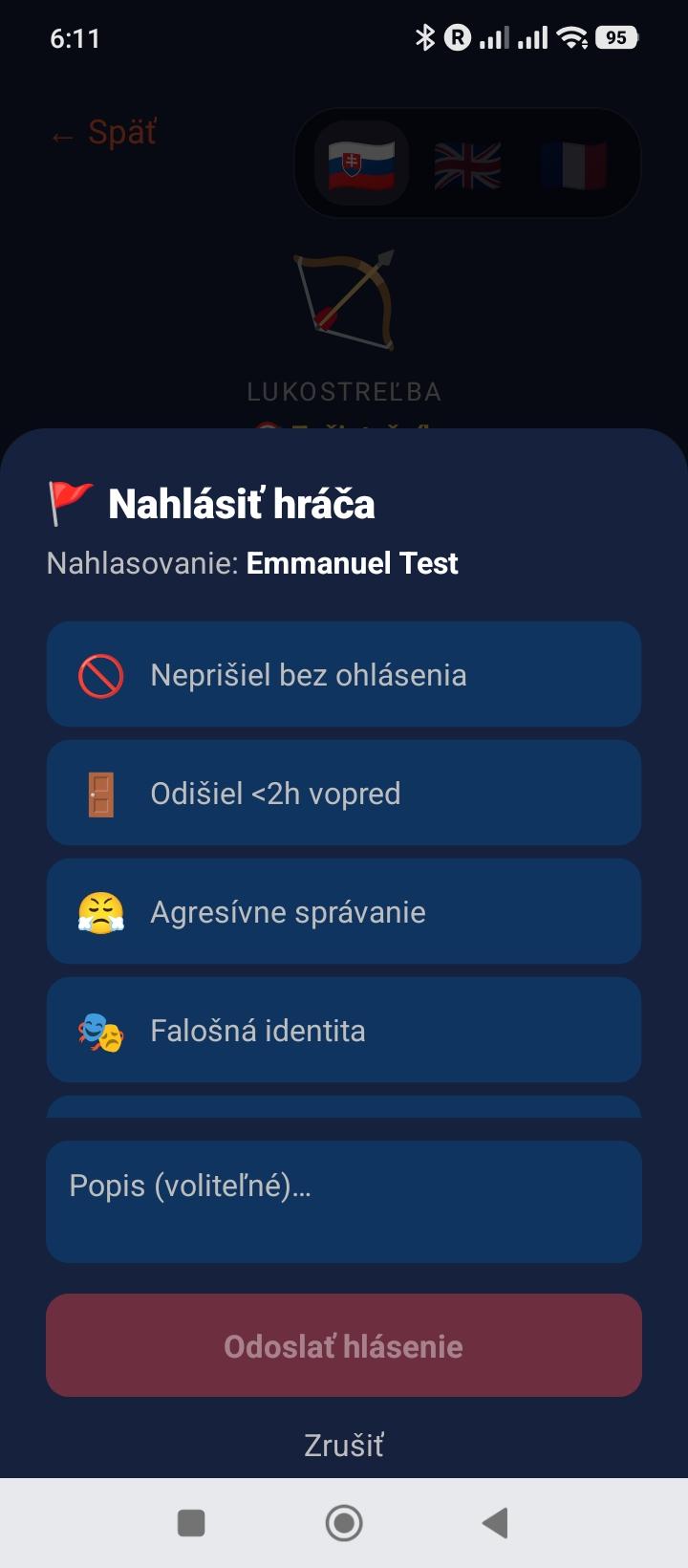
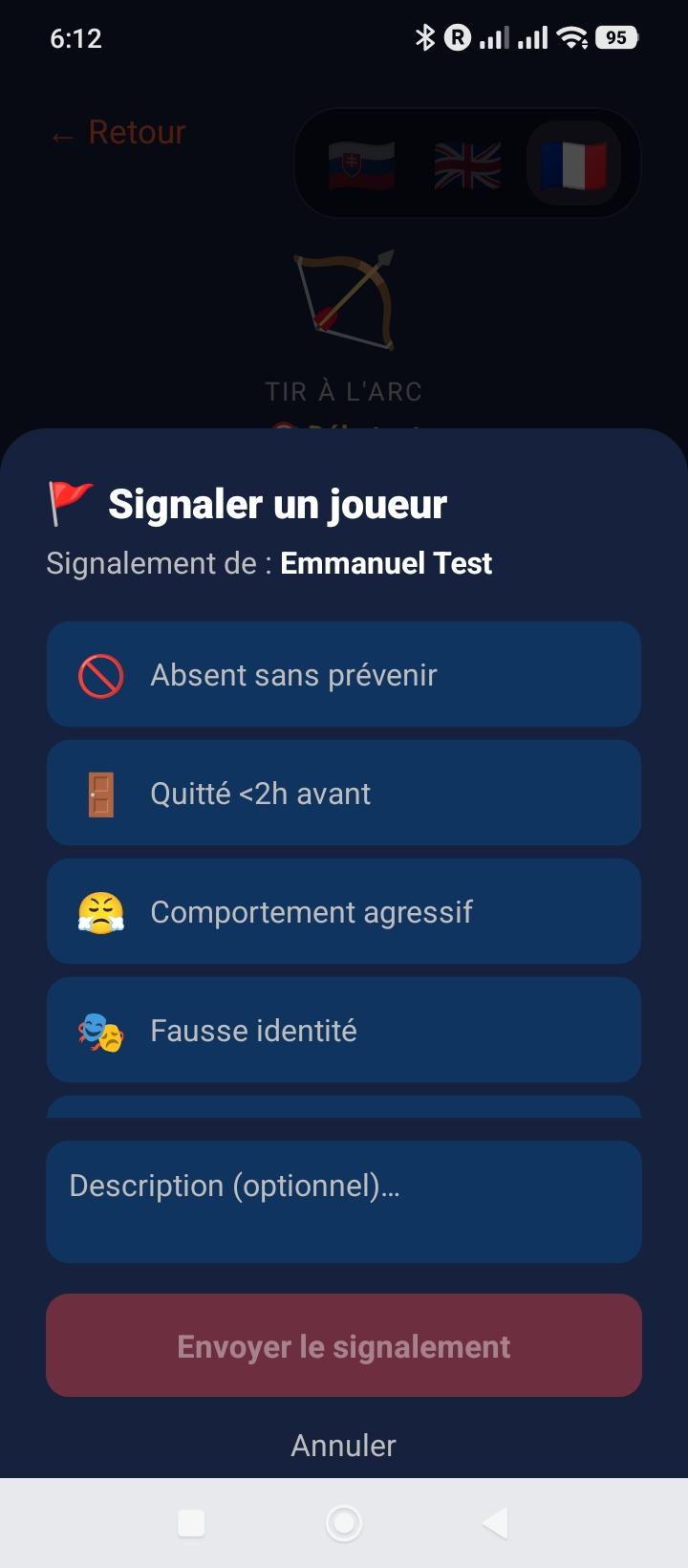
Signaler un joueur

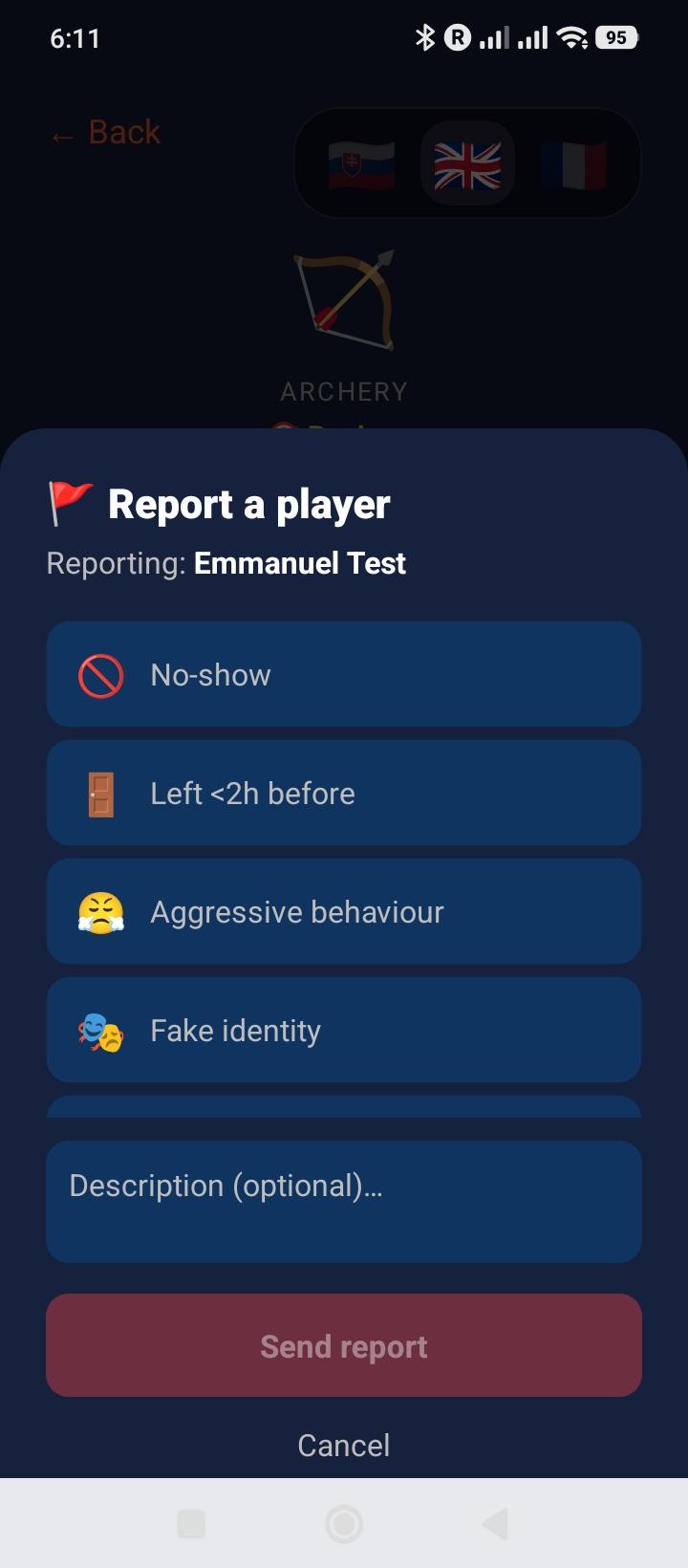
Si tu rencontres un comportement problématique, tu peux signaler un participant après le créneau ou signaler directement un message depuis le chat. Chaque signalement est examiné par l'équipe Partia.

  • →Message : touche le message concerné dans le chat puis choisis "Signaler ce message"
  • →Motifs : comportement inapproprié, propos offensants, no-show, départ à moins de 2h du début, contenu interdit
  • →Anonymat : la personne signalée ne sait pas qui l'a signalée
  • →Suivi admin : tous les signalements ouverts sont visibles dans le panel admin
  • →Conséquences : après vérification, l'admin peut désactiver un compte abusif
  • →Blocage immédiat : bloque un joueur depuis le chat, son profil ou le détail ; ses messages et créneaux Explorer sont masqués réciproquement
  • →Déblocage : Profil → Utilisateurs bloqués
💡 Signaler déclenche une revue manuelle. Bloquer agit immédiatement sur tes interactions dans l'app et reste réversible depuis ton profil.
12
Notifications
Toutes les alertes de l'app
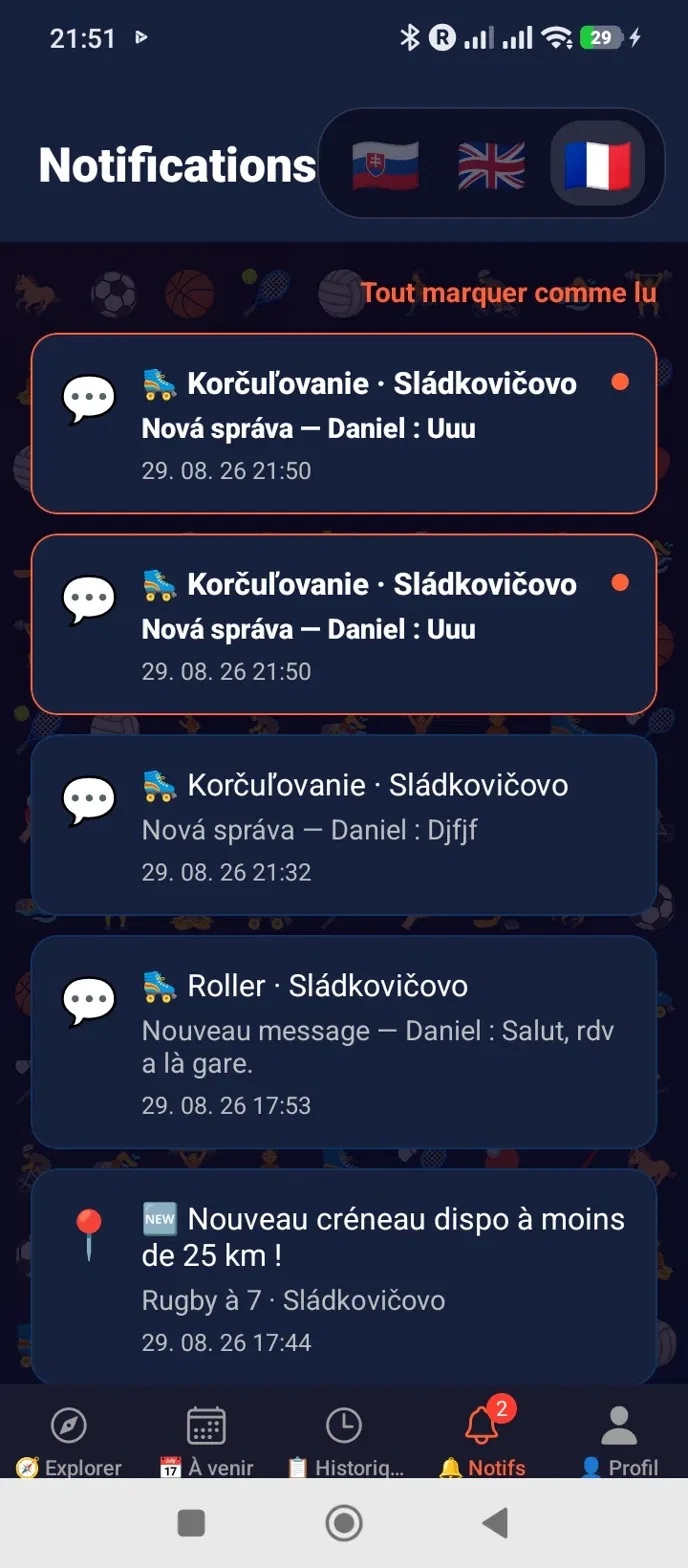
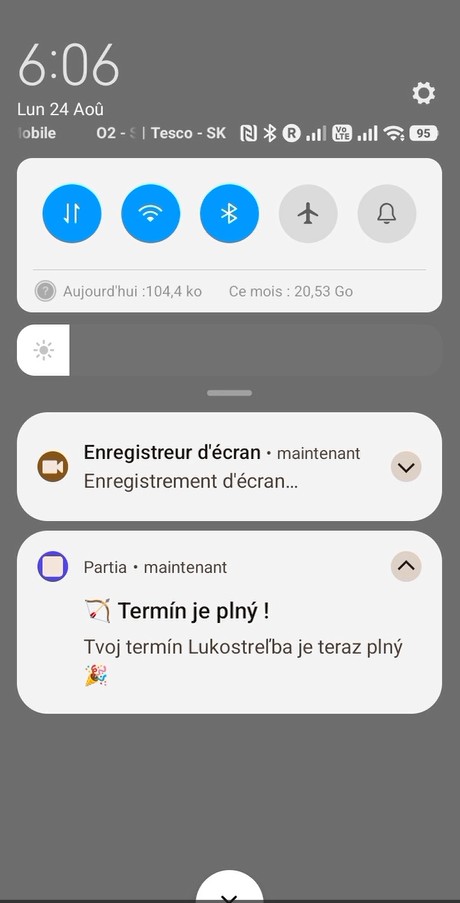
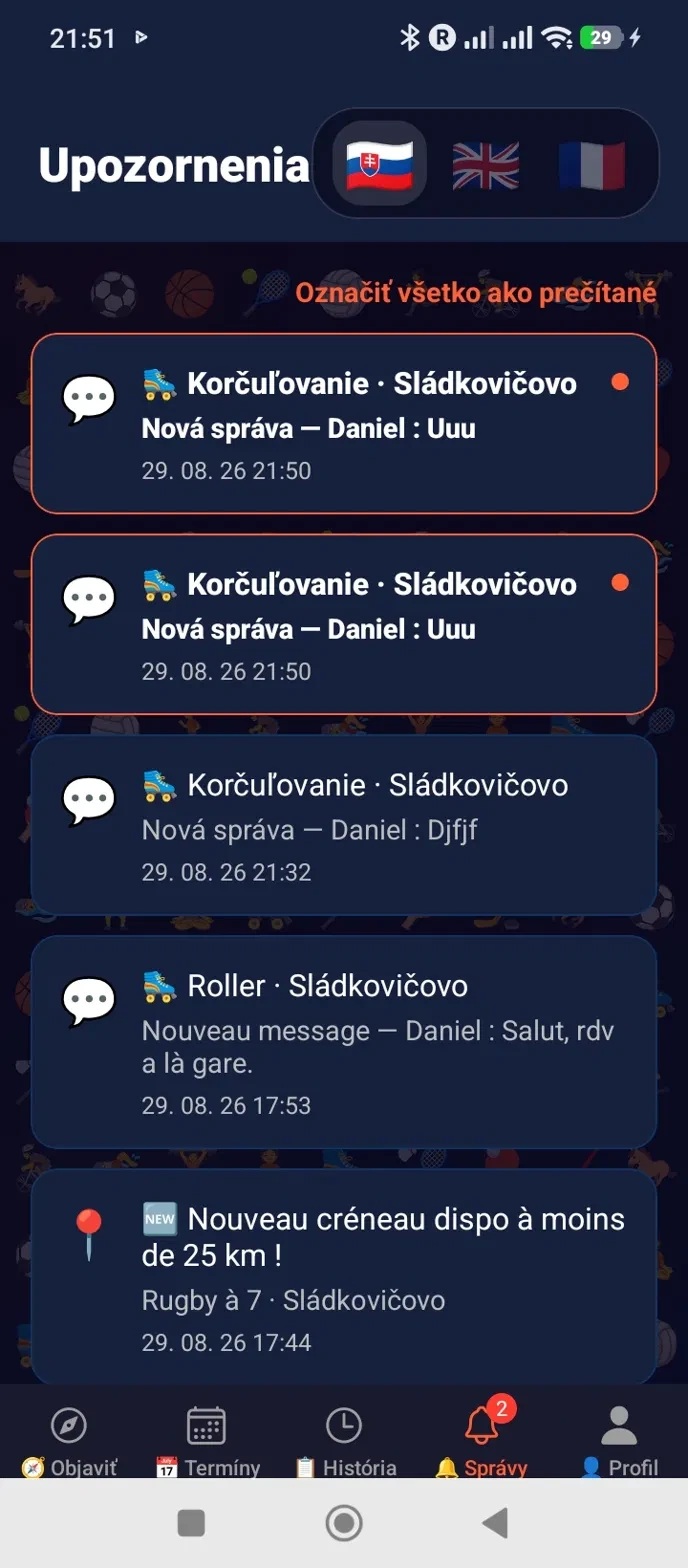
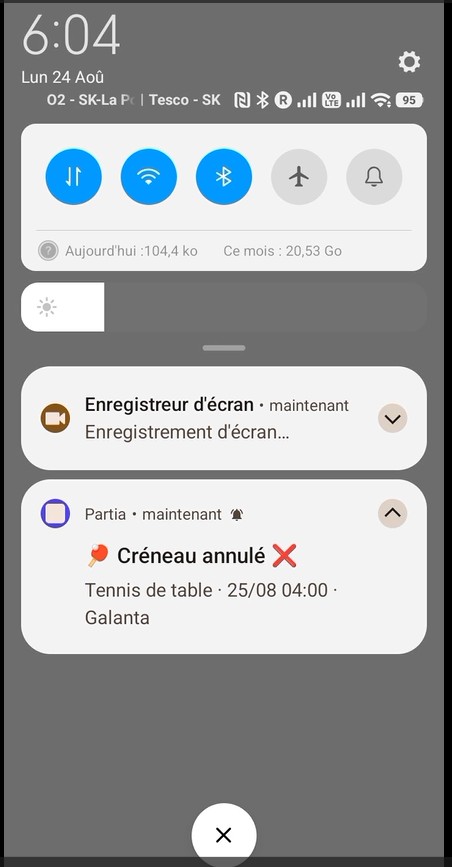
Notification PartiaOnglet Notifications de l'app

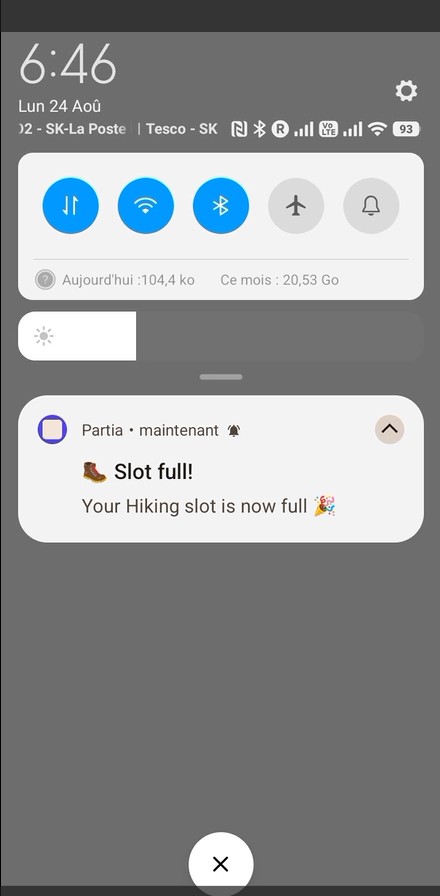
Partia t'envoie une notification push à chaque événement qui te concerne, dans la langue de ton profil. Voici la liste complète :

  • →🆕 Nouveau créneau à proximité : un créneau vient d'être créé près de toi sur un sport que tu pratiques (rayon selon ton plan : 10 km Free, 50 km Premium/Premium+)
  • →👋 Nouveau participant : quelqu'un rejoint ton créneau
  • →🔒 Créneau complet : un créneau que tu as créé ou rejoint vient d'atteindre son nombre de places
  • →🚪 Départ d'un participant : quelqu'un a quitté ton créneau
  • →❌ Créneau annulé : le créneau a été annulé par le créateur, ou son compte a été supprimé
  • →💬 Nouveau message : un message est arrivé dans le chat d'un de tes créneaux
  • →⏰ Rappel avant le créneau : quelques heures avant le début
  • →📋 As-tu participé ? : après le créneau, pour confirmer ta présence et noter les autres
  • →✅ Présence confirmée : un participant a confirmé sa présence, tu peux maintenant l'évaluer
  • →🏅 Nouvelle évaluation : tu as reçu un badge suite à un créneau
💡 Toutes ces notifications ouvrent directement l'écran concerné d'un tap — pas besoin de fouiller dans l'app.

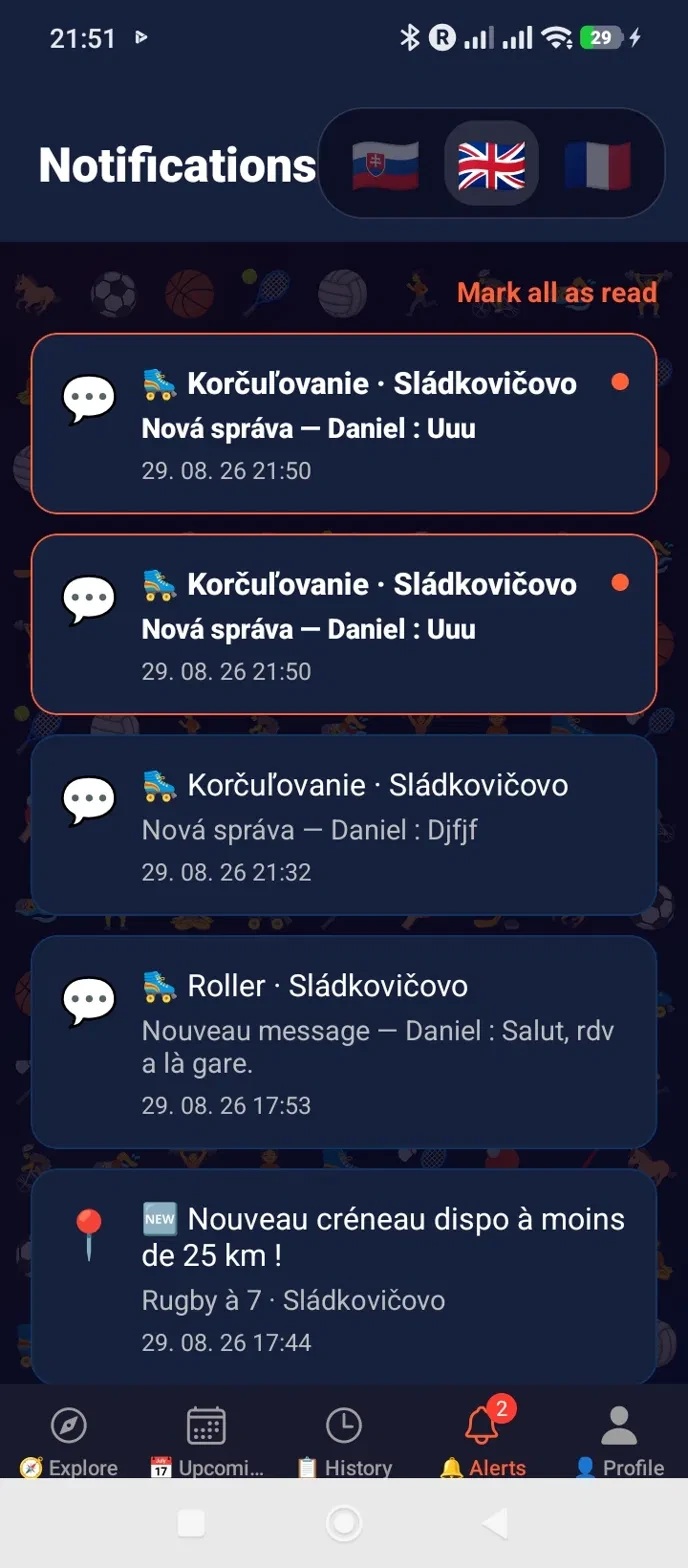
Elles restent aussi consultables dans l'onglet 🔔 Notifications de l'app : les non-lues apparaissent en gras, avec un bouton pour tout marquer comme lu en une fois.
Prêt à jouer ? 🤝

Partia est maintenant disponible sur Google Play !

📲 Télécharger sur Google Play
1
Registrácia & Prihlásenie
Solo · 5 min
Prihlasovacia obrazovka Partia

Vytvor účet za 2 minúty. Zadaj meno, email, heslo, pohlavie a dátum narodenia (min. 18 rokov). Potvrdzovací email sa odošle automaticky.

  • →Registrácia : meno, email, heslo, pohlavie, dátum narodenia
  • →Overenie emailu : klikni na odkaz v emaili pre aktiváciu účtu
  • →Prihlásenie : email + heslo
  • →Zabudnuté heslo : 6-miestny kód emailom, platný 15 min
💡 Tip: Skontroluj priečinok Spam ak nepríde potvrdzovací email.
2
Nastavenie profilu
Po registrácii
Výber športov a úrovníVýber verejného pseudonymu

Po prvom prihlásení si nastav profil — vyber športy, ktoré praktizuješ. To umožní ostatným hráčom nájsť ťa a vidieť, či ste kompatibilní.

  • →Mriežka športov : 37 športov s emoji — ťukni pre výber / zrušenie výberu
  • →Viacnásobný výber : môžeš praktizovať koľko chceš športov
  • →Verejný pseudonym : vyber si jedinečné @meno, pod ktorým ťa ostatní hráči uvidia — jediný ďalší povinný krok pred prístupom do zvyšku appky
  • →Zvyšok príde neskôr : mesto a fotka sú voliteľné a nastavíš si ich kedykoľvek v záložke Profil (Krok 8), nie pri registrácii
  • →Neskôr upraviteľné : športy môžeš meniť kedykoľvek v záložke Profil; @meno (a mesto, keď ho vyplníš) sú obmedzené na 1 zmenu za 30 dní (24 hodín na opravu preklepu hneď po zmene)
💡 Tip: vyber všetky športy, ktoré praktizuješ, aj príležitostne — zvyšuje to šancu, že ťa nájdu.
3
Objaviť — Feed
Hlavná obrazovka
Objaviť feed

Hlavná obrazovka zobrazuje všetky dostupné termíny v tvojom okolí. Filtruj podľa vzdialenosti, trieď podľa dátumu alebo blízkosti.

  • →GPS automaticky : poloha v reálnom čase pre výpočet vzdialenosti
  • →Filter vzdialenosti: tri prehľadné možnosti 10 km / 50 km / ∞ — Free do 10 km s anonymným uzamknutým náhľadom termínov od 10 do 50 km, Premium do 50 km a Premium+ bez obmedzenia. Dlhým stlačením čipu zobrazíš vysvetlenie.
  • →Triedenie : podľa vzdialenosti alebo dátumu — dlhé stlačenie tlačidla triedenia → tooltip ukazujúci aktívny režim a ako prepnúť
  • →Potiahnuť na obnovenie : potlač nadol pre aktualizáciu
💡 GPS vypnuté? Appka použije mesto z profilu (ak je zadané aspoň 30 dní). Bez stabilného mesta ani GPS sa zobrazia všetky termíny (filter ∞).
4
Vytvoriť termín
Tlačidlo + dole
Vytvorenie termínu

Vytvor termín za pár sekúnd. Vyber šport, miesto, dátum a počet miest. Verejný termín sa potom zobrazí vo feede kompatibilných hráčov.

  • →Šport : 37 dostupných športov s emoji
  • →Miesto : napíš aspoň 2 znaky a vyber park, štadión, halu alebo adresu z návrhov Photon/OpenStreetMap
  • →Dátum & čas : Android selektor; dnešný čas, ktorý už uplynul, sa posunie na najbližšiu dostupnú štvrťhodinu
  • →Počet miest : počet hľadaných účastníkov bez organizátora
  • →Limit : 5 termínov za 30 dní (plynúcich) pre celý Free účet vrátane detských profilov (Premium a Premium+ bez limitu)
  • →Súkromný termín : vyhradené pre Premium+, nezobrazí sa vo verejných výsledkoch, pripojiť sa dá iba cez zdieľaný kód
  • →Profil dieťaťa : môžeš vytvoriť termín v mene svojho dieťaťa
  • →Profil vo veku 15-17 rokov : v časti Objavovať ťukni na zámok 🔒/🔓, aby si zobrazil vysvetlenie alebo upravil prístup k termínom pre dospelých
5
Detail termínu
Tap na kartu
Detail termínu

Pozri všetky detaily termínu pred prihlásením: šport, miesto, dátum, organizátor, prihlásení účastníci. Pripoj sa jedným tapom.

  • →Pripojiť sa : aktívny profil (rodič alebo oprávnené dieťa) môže obsadiť miesto, ak ešte nie je prihlásený
  • →Rodič + oprávnené dieťa vo veku 15–17 rokov : na rovnaký termín dospelých od iného organizátora sa môžu prihlásiť samostatne; každý obsadí jedno miesto. Nevzťahuje sa to na deti vo veku 3–14 rokov
  • →Odhlásiť sa : pred začiatkom iba pre aktívny profil, bez odhlásenia druhého profilu účtu
  • ⚠️Odchod menej ako 2h pred začiatkom : zostáva viditeľný v zozname účastníkov a ostatní ho môžu nahlásiť, na rozdiel od skoršieho odhlásenia
  • →Účastníci : zoznam s avatarmi, tap pre verejný profil
  • →Zrušiť : organizátor môže zrušiť termín (notifikácia účastníkom)
  • →Chat : priamy prístup ku skupinovej diskusii termínu
6
Skupinový Chat
Na termín
Skupinový chat termínu

Každý termín má vlastnú skupinu chatu. Prístup majú len prihlásení účastníci. Koordinuj sa priamo v appke bez odchodu.

  • →Prístup podľa profilu : chat vidí iba aktívny prihlásený profil; prihlásenie dieťaťa ho neotvorí neprihlásenému profilu dospelého
  • →Automatické obnovenie : nové správy každých 5 sekúnd
  • →História : všetky správy termínu zostávajú uložené
  • →Push notifikácia : dostaneš upozornenie pri novej správe
  • →Nahlásiť alebo zablokovať : ťukni na správu iného hráča a vyber príslušnú akciu
7
História
Záložka 📋
História termínov

Nájdi všetky svoje minulé a budúce termíny. Potvrď svoju účasť po každej session pre odomknutie hodnotenia.

  • →Moje termíny : všetky termíny, ktoré si vytvoril
  • →Profily : hore na obrazovke vyber rodiča alebo dieťa; termíny, potvrdenia a hodnotenia sa riadia týmto výberom
  • →Pripojené : termíny, na ktorých sa vybraný profil zúčastňuje alebo zúčastnil
  • →Potvrdenie účasti : tlačidlo "Bolo to dobré?" hneď po skončení termínu
💡 Dôležité: potvrď účasť po každej session pre odomknutie hodnotenia ostatných hráčov.
8
Môj Profil
Záložka 👤
Môj profil

Tvoj profil centralizuje všetky informácie: fotku, pseudonym, športy, mesto, odznaky a profily detí.

  • →Fotka : nahranie z galérie, automatické orezanie 400×400
  • →Pseudonym : tvoje jedinečné verejné @meno, upraviteľné raz za 30 dní (24 hodín na opravu preklepu hneď po zmene)
  • →Športy : vyber všetky športy, ktoré praktizuješ
  • →Mesto : vyhľadávanie Photon/OpenStreetMap cez server Partia, rovnaké pravidlo 24 hodín na opravu
  • →Moje štatistiky : vytvorené/pripojené termíny, rozdelenie podľa športu, potvrdená účasť, trend za mesiac a najväčší termín — za 30 dní vo Free, 90 dní v Premium, bez obmedzenia v Premium+
  • →Profily detí : rodič je jediným držiteľom účtu; vytvára a spravuje profily, prihlasuje deti a dohliada na stretnutia
  • →15–17 rokov : prístup k termínom dospelých vyžaduje súhlas rodiča uložený v časti Moje deti
  • →5 pozitívnych odznakov : ⏰ Dochvíľny · ✅ Spoľahlivý · 🏅 Dobrý hráč · 😊 Cool · 💛 Fair-play
  • ⚠️Automatický odznak : 🤪 Zábudlivec — 2+ termíny nepotvrdené do 7 dní
  • 🥚Tajomný odznak : niekde v aplikácii sa skrýva jeden skrytý odznak... nájdi ho sám/sama 😉
  • →Jazyk : prepnúť na Slovenčinu / Francúzštinu / Angličtinu
  • →Zablokovaní používatelia : zoznam a odblokovanie priamo z Profilu
9
Hodnotenie po zápase
Po potvrdení
Hodnotenie po zápase

Po každej potvrdenej session ohodnoť svojich spoluhráčov pridelením odznakov. Tieto odznaky sa hromadia na ich profile.

  • →5 pozitívnych odznakov : ⏰ Dochvíľny · ✅ Spoľahlivý · 🏅 Dobrý hráč · 😊 Cool · 💛 Fair-play — žiadny odznak nie je negatívny, na skutočný problém slúži nahlásenie
  • ⚠️1 automatický odznak : 🤪 Zábudlivec — objavuje sa automaticky ak 2 alebo viac termínov z posledných 30 dní nebolo potvrdených po 7 dňoch. Potvrď "Bol som tam" do týždňa po každom termíne, aby si sa mu vyhol/la
  • →Viacnásobný výber : prideľ koľko chceš odznakov každému hráčovi
  • →Jedno hodnotenie na profil : ak sa rodič a oprávnené dieťa vo veku 15–17 rokov zúčastnia spolu, ich účasť aj hodnotenie sa spracujú samostatne
  • →Samostatné odznaky : každý odznak patrí príslušnému profilu; za účet a detský profil zostáva zodpovedný rodič
  • →Viditeľné na profile : odznaky sa zobrazujú s počtom na verejnom profile
10
Verejný profil hráča
Tap na účastníka
Verejný profil hráčaZablokovať používateľa

Klikni na ktoréhokoľvek účastníka termínu a zobraz si jeho verejný profil: športy, mesto, veková skupina a nazbierané odznaky. Over si reputáciu hráča pred pripojením k jeho termínu.

  • →Viditeľné údaje : meno, mesto, pohlavie, veková skupina, športy, odznaky
  • →Odznaky s počtom : celkový počet každého získaného odznaku
  • →Ochrana súkromia : email a osobné údaje sa nikdy nezobrazujú
  • →Blokovanie : tlačidlo dostupné z verejného profilu; nahlásenie sa robí z ukončeného termínu alebo priamo na správe v chate
11
Nahlásenie
Bezpečnosť komunity
Nahlásiť hráča

Problematického účastníka môžeš nahlásiť po termíne alebo môžeš nahlásiť konkrétnu správu priamo v chate. Každé nahlásenie preskúma tím Partia.

  • →Správa : ťukni na správu v chate a vyber „Nahlásiť túto správu“
  • →Dôvody : nevhodné správanie, urážlivé komentáre, neprišiel, odišiel menej ako 2h pred začiatkom, zakázaný obsah
  • →Anonymita : nahlásená osoba nevie, kto ju nahlásil
  • →Admin sledovanie : všetky otvorené nahlásenia sú viditeľné v admin paneli
  • →Okamžité blokovanie : správy a termíny v Objaviť sa skryjú v oboch smeroch
  • →Odblokovanie : Profil → Zablokovaní používatelia
💡 Nahlásenie spúšťa manuálnu kontrolu. Blokovanie účinkuje okamžite a môžeš ho neskôr zrušiť v profile.
12
Notifikácie
Všetky upozornenia appky
Notifikácia PartiaZáložka Notifikácie v appke

Partia ti pošle push notifikáciu pri každej udalosti, ktorá sa ťa týka, v jazyku tvojho profilu. Tu je kompletný zoznam:

  • →🆕 Nový termín nablízku : niekto vytvoril termín blízko teba na šport, ktorý hráš (rádius podľa plánu: 10 km Free, 50 km Premium/Premium+)
  • →👋 Nový účastník : niekto sa pripojil k tvojmu termínu
  • →🔒 Termín je plný : termín, ktorý si vytvoril alebo si sa k nemu pripojil, práve dosiahol počet miest
  • →🚪 Odchod účastníka : niekto opustil tvoj termín
  • →❌ Termín zrušený : termín zrušil organizátor, alebo bol jeho účet vymazaný
  • →💬 Nová správa : prišla správa v chate jedného z tvojich termínov
  • →⏰ Pripomienka pred termínom : pár hodín pred začiatkom
  • →📋 Zúčastnil/a si sa? : po termíne, na potvrdenie účasti a ohodnotenie ostatných
  • →✅ Účasť potvrdená : účastník potvrdil svoju účasť, teraz ho môžeš ohodnotiť
  • →🏅 Nové hodnotenie : dostal/a si odznak vďaka termínu
💡 Všetky tieto notifikácie otvoria priamo príslušnú obrazovku jedným ťuknutím — netreba nič hľadať v appke.

Zostávajú tiež dostupné v záložke 🔔 Notifikácie v appke: neprečítané sú tučným písmom, s tlačidlom na jednorazové označenie všetkého ako prečítané.

Pripravený hrať? 🤝

Partia je teraz dostupná na Google Play!

📲 Stiahnuť na Google Play
1
Sign Up & Login
Solo · 5 min
Partia login screen

Create your account in 2 minutes. Enter your first name, email, password, gender and date of birth (18+ only). A verification email is sent automatically.

  • →Sign up: first name, email, password, gender, date of birth
  • →Email verification: click the link in the email to activate your account
  • →Login: email + password
  • →Forgot password: 6-digit code by email, valid 15 min
💡 Tip: Check your spam folder if you don't receive the confirmation email.
2
Profile Setup
After sign-up
Sport and level selectionPublic handle selection

After your first login, set up your profile by selecting the sports you play. This lets other players find you and see if you're a good match.

  • →Sports grid: 37 sports with emoji — tap to select / deselect
  • →Multi-select: pick as many sports as you want
  • →Public handle: pick a unique @handle that represents you to other players — the only other required step before accessing the rest of the app
  • →The rest comes later: city and photo are optional and can be set anytime from the Profile tab (Step 8), not at sign-up
  • →Editable later: your sports can be changed anytime in the Profile tab; your @handle (and city, once set) are limited to 1 change every 30 days (24h to fix a typo right after)
💡 Tip: select all the sports you play, even occasionally — it increases your chances of being found.
3
Explore — The Feed
Main screen
Explore feed

The main screen lists all available slots near you. Filter by distance, sort by date or proximity, and see remaining spots at a glance.

  • →Auto GPS: real-time position to calculate distance
  • →Distance filter: three clear choices, 10 km / 50 km / ∞ — Free up to 10 km with an anonymous locked preview of slots between 10 and 50 km, Premium up to 50 km, and Premium+ with no limit. Long press a chip for its explanation.
  • →Sort: by distance or date — long press the sort button → tooltip showing the active mode and how to switch
  • →Pull to refresh: pull down to update the feed
💡 GPS off? The app uses your profile city as a fallback (once it's been set for at least 30 days). With neither a stable city nor GPS, all slots are shown (∞ filter).
4
Create a Slot
+ button at bottom
Creating a slot

Create a slot in seconds. Choose the sport, location, date and number of spots. A public slot then appears in the feed of compatible players.

  • →Sport: 37 sports with emoji
  • →Location: type at least 2 characters, then select a park, stadium, sports hall or address from Photon/OpenStreetMap suggestions
  • →Date & time: Android picker; a time that has already passed today is moved to the next available quarter-hour
  • →Spots: number of participants wanted, excluding the organizer
  • →Limit: 5 slots in a rolling 30-day window for the whole Free account, including child profiles (Premium and Premium+ have no limit)
  • →Private slot: Premium+ only, invisible in public results, joinable only via a code you share
  • →Child profile: create a slot on behalf of your child
  • →Age 15-17 profile: in Explore, tap the 🔒/🔓 lock to view or control access to adult activities
5
Slot Detail
Tap a card
Slot detail

See all the details of a slot before joining: sport, location, date, organiser, registered participants. Join with one tap if spots are available.

  • →Join: the active profile (parent or authorised child) can take a place if that profile has not joined yet
  • →Parent + authorised 15–17 child: they may join the same third-party adult slot separately; each takes one place. This does not apply to children aged 3–14
  • →Leave: before the start, only for the active profile without removing the account's other profile
  • ⚠️Leaving less than 2h before the start: stays visible in the participant list and reportable by others, unlike an earlier withdrawal
  • →Participants: list with avatars, tap to see public profile
  • →Cancel: the creator can cancel the slot (notification sent to participants)
  • →Chat: direct access to the slot's group discussion
6
Group Chat
Per slot
Slot group chat

Every slot has its own group chat. Only registered participants have access. Coordinate directly in the app: equipment, timing, meeting point.

  • →Profile-based access: only the active joined profile sees chat; a child’s participation does not open it to an adult profile that has not joined
  • →Auto-refresh: new messages appear every 5 seconds
  • →Message history: every message in the slot is kept
  • →Push notification: you get a notification when a new message arrives
  • →Report or block: tap another player's message and choose the appropriate action
7
History
Tab 📋
Slot history

Find all your past and upcoming slots. Confirm attendance after each session to unlock ratings.

  • →My slots: all slots you've created (active + past)
  • →Profiles: choose Parent or a child at the top; slots, confirmations and ratings follow that selection
  • →Joined: slots the selected profile participates or participated in
  • →Confirm attendance: "Was it good?" button once the slot has ended
💡 Important: confirm attendance after each session to unlock rating of other players.
8
My Profile
Tab 👤
My profile

Your profile centralises all your information: photo, handle, sports, city, badges and child profiles. It's the showcase other players see when they view your card.

  • →Photo: upload from gallery, auto-cropped to 400×400
  • →Handle: your unique public @handle, editable once every 30 days (24 hours to fix a typo right after changing it)
  • →Sports: select all the sports you practise
  • →City: Photon/OpenStreetMap search through the server — used if GPS is off, same 24h correction rule
  • →My stats: slots created/joined, breakdown by sport, confirmed attendance, monthly trend and biggest slot — over 30 days on Free, 90 days on Premium, no limit on Premium+
  • →Child profiles: the parent is the sole account holder, creates and manages profiles, registers children and supervises meetups
  • →Ages 15–17: access to adult slots requires parental consent recorded under My children
  • →5 positive badges: ⏰ Punctual · ✅ Reliable · 🏅 Good player · 😊 Cool · 💛 Fair play
  • ⚠️Automatic badge: 🤪 Head in the clouds — 2+ sessions unconfirmed within 7 days
  • 🥚Mystery badge: there's a hidden badge somewhere in the app... find it yourself 😉
  • →Language: switch to English / French / Slovak
  • →Blocked users: list and unblocking directly accessible from Profile
9
Post-Match Rating
After confirmation
Post-match rating

After each confirmed session, rate your fellow players by awarding badges. These badges accumulate on their profile and build their reputation on Partia.

  • →5 positive badges: ⏰ Punctual · ✅ Reliable · 🏅 Good player · 😊 Cool · 💛 Fair play — there's no negative badge, reporting is the tool for a real problem
  • ⚠️1 automatic badge: 🤪 Head in the clouds — appears automatically when 2 or more sessions from the last 30 days went unconfirmed after 7 days. Tap "I was there" within a week of each session to avoid it
  • →Multi-select: award as many badges as you want to each player
  • →One rating per profile: when a parent and their authorised 15–17 child attend together, their attendance and rating are handled separately
  • →Separate badges: every badge belongs to the relevant profile; the parent remains responsible for the account and child profile
  • →Visible on profile: badges display with their count on the public profile
10
A Player's Public Profile
Tap a participant
A player's public profileBlock this user

Tap any participant in a slot to see their public profile: sports played, city, age group and accumulated badges. Check a player's reputation before joining their slot.

  • →Visible info: first name, city, gender, age group, sports, badges
  • →Badges with counters: total count of each badge received
  • →Privacy protection: email and personal details are never shown
  • →Blocking: button available from the public profile; reports are made from a finished slot or directly on a chat message
11
Reporting
Community safety
Report a player

You can report problematic participation after a slot or report a specific message directly from the chat. Every report is reviewed by the Partia team.

  • →Message: tap the relevant chat message and choose “Report this message”
  • →Reasons: inappropriate behaviour, offensive language, no-show, left less than 2h before the start, forbidden content
  • →Anonymous: the reported person doesn't know who reported them
  • →Admin tracking: all open reports are visible in the admin panel
  • →Immediate blocking: messages and Explorer slots are hidden in both directions
  • →Unblock: Profile → Blocked users
💡 Reporting starts a manual review. Blocking acts immediately and can later be reversed from your profile.
12
Notifications
Every alert the app sends
Partia notificationThe app's Notifications tab

Partia sends you a push notification for every event that concerns you, in your profile's language. Here's the full list:

  • →🆕 New slot nearby: a slot was just created near you for a sport you play (radius depends on your plan: 10 km Free, 50 km Premium/Premium+)
  • →👋 New participant: someone joined your slot
  • →🔒 Slot full: a slot you created or joined just reached its number of places
  • →🚪 Participant left: someone left your slot
  • →❌ Slot cancelled: the slot was cancelled by its creator, or their account was deleted
  • →💬 New message: a message arrived in the chat of one of your slots
  • →⏰ Reminder before the slot: a few hours before it starts
  • →📋 Did you attend?: after the slot, to confirm your attendance and rate the others
  • →✅ Attendance confirmed: a participant confirmed their attendance, you can now rate them
  • →🏅 New rating: you received a badge following a slot
💡 Every one of these notifications opens the right screen with one tap — no need to dig through the app.

They also stay available in the app's 🔔 Notifications tab: unread ones show up in bold, with a button to mark everything as read at once.

Ready to play? 🤝

Partia is now available on Google Play!

📲 Download on Google Play